Login
Authenticate users in your app with Blux's built-in login modal.
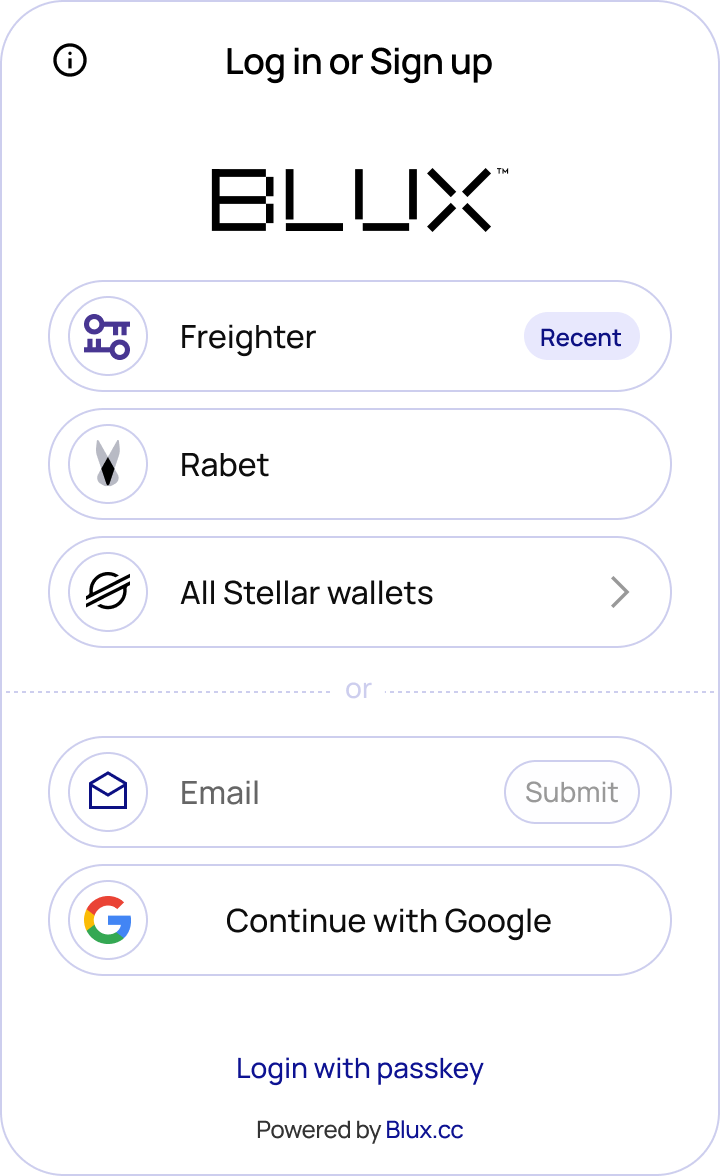
Blux provides an out-of-the-box login modal so you can onboard users without building your own auth UI. Call login() from the useBlux hook to trigger it.
Import
import { useBlux } from "@bluxcc/react";Usage
import { useBlux } from '@bluxcc/react';

function LoginButton() {
  const { login, isReady, isAuthenticated } = useBlux();

  const disableLogin = !isReady || (isReady && isAuthenticated);

  return (
    <button disabled={disableLogin} onClick={login}>
      Log in
    </button>
  );
}
Keep the login button disabled until isReady is true to avoid triggering the modal before Blux has finished detecting available wallets.
Key Fields
The useBlux hook provides these fields for managing authentication state:
| Field | Type | Description |
|---|---|---|
isReady | boolean | false until Blux has finished checking for available wallets, then true |
isAuthenticated | boolean | true after a successful login, resets to false on logout |
user | object | null | User info (address, connection method) after login; null otherwise |
login | () => void | Opens the wallet selection modal |
logout | () => void | Signs the user out, resetting isAuthenticated and user |
Screenshots