# Sign Message
URL: https://docs.blux.cc/javascript/usage/sign-message
Request a signed message from the connected user using Blux.
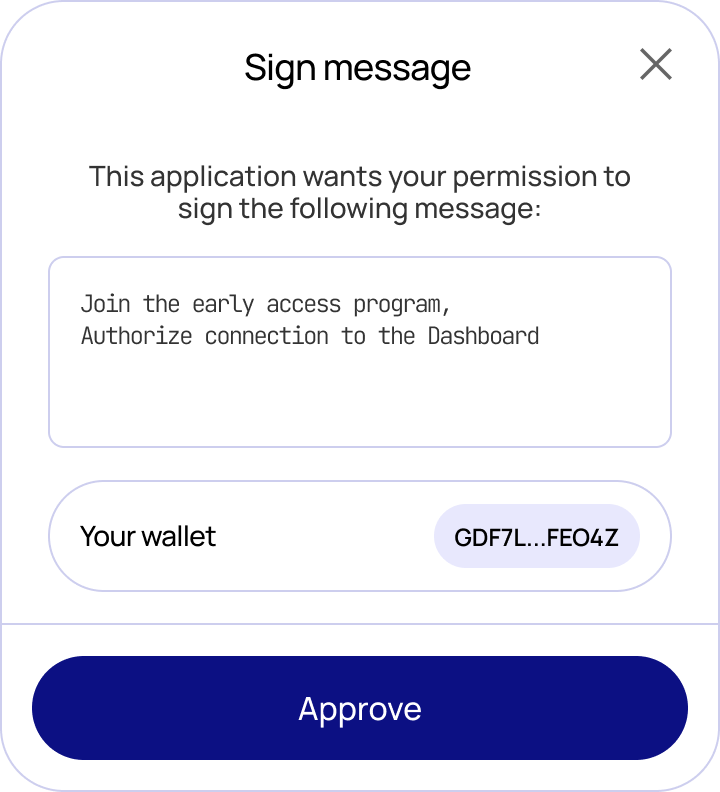
The `blux.signMessage()` method prompts the connected user to sign an arbitrary message. Blux shows a confirmation modal displaying the message content and the signing account before the user approves.
 ## Type
```typescript
type IOptions = {
network?: string;
};
const signMessage: (message: string, options?: IOptions);
```
| Parameter | Type | Description |
|---|---|---|
| `message` | `string` | The message string to sign |
| `options.network` | `string` | Network to use — omit to use the active network |
## Usage
```typescript
const sign = async () => {
try {
const result = await blux.signMessage("Hello");
console.log(result);
} catch (error) {
console.error("Something went wrong!");
console.log(error);
}
};
```
To skip the confirmation modal and handle your own confirmation UI, set `showWalletUIs: false` in `createConfig`.
## Type
```typescript
type IOptions = {
network?: string;
};
const signMessage: (message: string, options?: IOptions);
```
| Parameter | Type | Description |
|---|---|---|
| `message` | `string` | The message string to sign |
| `options.network` | `string` | Network to use — omit to use the active network |
## Usage
```typescript
const sign = async () => {
try {
const result = await blux.signMessage("Hello");
console.log(result);
} catch (error) {
console.error("Something went wrong!");
console.log(error);
}
};
```
To skip the confirmation modal and handle your own confirmation UI, set `showWalletUIs: false` in `createConfig`.