.` | A non-self destination doesn't trust `toAsset`. |
| `BLUX: No swap path found from to — the issuer could not be found on ; is it an asset from a different network?` | The issuer account does not exist on the network being queried — usually a mainnet issuer used on testnet or vice versa. |
| `BLUX: No swap path found from to on — no route can fill this amount right now.` | Both assets exist, but no route (or not enough liquidity for this amount) exists between them right now. |
Errors raised while signing and submitting (`BLUX: User is not authenticated.`, network busy, on-chain failure, …) propagate unchanged from [`sendTransaction`](/javascript/usage/send-transaction#errors).
Want to quote a swap before committing — to show the user a rate or preview the floating side? Read the route directly with [`getStrictSendPaths`](/javascript/core/getStrictSendPaths) (`exactIn`) or [`getStrictReceivePaths`](/javascript/core/getStrictReceivePaths) (`exactOut`); they take no signature and cost nothing.
---
# Switch Network
URL: https://docs.blux.cc/javascript/core/switchNetwork
Switch the active network in your Blux app at runtime.
The `switchNetwork` function switches the app to a different network. The target network must be included in the `networks` array defined in `createConfig`.
## Usage
```typescript
core.switchNetwork(core.networks.testnet);
```
---
# Transfer
URL: https://docs.blux.cc/javascript/core/transfer
Send XLM, issued assets, or SEP-41 tokens to any recipient — Blux picks the right operation for you.
`transfer` is the high-level "send value" helper. You describe **what** you want — _send this amount of this asset to this recipient_ — and Blux figures out the **how**, building and submitting the correct transaction through its signing flow.
It covers two worlds from a single function:
- **Stellar (classic) transfers** — XLM and issued assets. Blux inspects the recipient and automatically chooses a `payment`, a `createAccount`, or a `createClaimableBalance` so the transfer doesn't fail on edge cases (a brand-new account, a missing trustline, …).
- **Soroban (SEP-41 token) transfers** — set `token` to a contract id and value moves through the token contract's `transfer(from, to, amount)` entrypoint instead.
The connected account is always the sender, and the call resolves to the same [`ISubmittedTransaction`](/javascript/usage/send-transaction#return-value) envelope returned by [`sendTransaction`](/javascript/usage/send-transaction) and [`writeContract`](/javascript/core/writeContract).
`transfer` must be called after `createConfig` and while a user is connected — the connected account is the source. Like `sendTransaction`, it shows the Blux confirmation modal before signing (unless you set `showWalletUIs: false` in `createConfig`). Wrap the call in `try/catch` to handle validation errors and user rejection.
## Type
```ts
type Numberish = string | number | bigint;
type TransferOptions = {
// Recipient: a Stellar address (G... or muxed M...), SEP-2 address, or .xlm
// name. For a `token` transfer, a contract id/name is also accepted.
to: string;
// Amount to send (must be > 0). Numbers and bigints are coerced to a string.
// Classic assets use a decimal amount ("10.5"); a `token` uses the integer
// base-unit amount the contract expects.
amount: Numberish;
// Classic asset to send. Defaults to the native lumen. Accepts
// 'xlm' | 'native' | 'CODE:ISSUER' | an Asset instance. Ignored when `token` is set.
asset?: string | Asset;
// Optional text memo. Ignored for `token` (Soroban) transfers.
memo?: string;
// When the recipient can't receive the asset directly (its account does not
// exist, or it has no trustline for an issued asset), send a claimable balance
// it can claim later instead of failing. Defaults to false.
claimable?: boolean;
// A SEP-41 token contract id (C...) or name resolving to one. When set,
// value moves through the contract's transfer entrypoint.
token?: string;
// Network passphrase to send on. Defaults to the active network.
network?: string;
};
const transfer: (options: TransferOptions) => Promise;
```
| Parameter | Type | Default | Description |
|---|---|---|---|
| `to` | `string` | — | **Required.** Recipient. A Stellar address (`G…` or muxed `M…`), SEP-2 address, or `.xlm` name. For a `token` transfer, a contract address/name is also accepted. |
| `amount` | `string \| number \| bigint` | — | **Required.** Must be greater than zero. Decimal units for a classic asset (`"10.5"`); integer base units for a `token`. |
| `asset` | `string \| Asset` | `"native"` | Classic asset: `"xlm"`/`"native"`, `"CODE:ISSUER"`, or an `Asset` instance. Ignored when `token` is set. |
| `memo` | `string` | — | Optional text memo. Ignored for `token` transfers. |
| `claimable` | `boolean` | `false` | Fall back to a claimable balance when the recipient can't receive directly (see below). |
| `token` | `string` | — | SEP-41 token contract id (`C…`) or `.xlm`/SEP-2 name resolving to one. Switches the call to the Soroban token path. |
| `network` | `string` | active network | Network passphrase to send on — use the `networks` map (e.g. `networks.testnet`). |
## How the classic operation is chosen
For classic assets you never pick the operation yourself — `transfer` reads the recipient's on-chain state and selects the one the network will accept:
| Recipient state | `claimable` | Operation used |
|---|---|---|
| Exists & trusts the asset (native always qualifies) | any | `payment` |
| Exists, but has **no trustline** for the issued asset | `true` | `createClaimableBalance` |
| Exists, but has **no trustline** for the issued asset | `false` | ❌ throws — pass `claimable: true` |
| **Doesn't exist yet**, sending **XLM** | `false` | `createAccount` (funds the new account) |
| **Doesn't exist yet**, sending an issued asset | `false` | ❌ throws — send XLM, or pass `claimable: true` |
| **Doesn't exist yet** | `true` | `createClaimableBalance` |
A new account can only be **created** with XLM, so sending an issued asset to an address that doesn't exist yet is rejected unless you opt into `claimable: true` — the recipient then claims it once they create their account and add the trustline.
## Usage — Stellar (classic) transfers
### Send XLM
The simplest case. `asset` defaults to the native lumen:
```ts
const result = await core.transfer({
to: "GDESTINATION...ADDRESS",
amount: "10", // 10 XLM
});
console.log(result.hash);
```
If `GDESTINATION...ADDRESS` doesn't exist yet, this automatically becomes a `createAccount` that funds it with the 10 XLM.
### Send an issued asset
Pass the asset in `"CODE:ISSUER"` form:
```ts
await core.transfer({
to: "GDESTINATION...ADDRESS",
amount: "25.5",
asset: "USDC:GA5ZSEJYB37JRC5AVCIA5MOP4RHTM335X2KGX3IHOJAPP5RE34K4KZVN",
});
```
You can also pass an `Asset` instance instead of a string:
```ts
const usdc = new StellarSdk.Asset(
"USDC",
"GA5ZSEJYB37JRC5AVCIA5MOP4RHTM335X2KGX3IHOJAPP5RE34K4KZVN",
);
await core.transfer({ to: "GDESTINATION...ADDRESS", amount: "25.5", asset: usdc });
```
### Attach a memo
Many exchanges and custodial wallets require a memo to credit your deposit:
```ts
await core.transfer({
to: "GDESTINATION...ADDRESS",
amount: "100",
asset: "USDC:GA5ZSEJYB37JRC5AVCIA5MOP4RHTM335X2KGX3IHOJAPP5RE34K4KZVN",
memo: "invoice-1234",
});
```
### Send to a federated address (SEP-2)
Pass a `name*domain` address and Blux resolves it against the domain's federation server — including any memo the federation record asks senders to attach:
```ts
await core.transfer({ to: "alice*example.com", amount: "10" });
```
The same call accepts an XLM Domains name. Blux resolves it, validates the
record, and applies any SEP-2 memo before building the transaction:
```ts
await core.transfer({ to: "alice.xlm", amount: "10" });
```
See [address resolution and `.xlm` names](/javascript/core/address-resolution)
for validation, mainnet/testnet behavior, and contract-address records.
### Fall back to a claimable balance
When the recipient's account doesn't exist yet, or it hasn't added a trustline for your issued asset, a direct payment would fail. Pass `claimable: true` to send a [claimable balance](/javascript/core/getClaimableBalances) they can claim on their own schedule:
```ts
await core.transfer({
to: "GNEW...RECIPIENT",
amount: "100",
asset: "USDC:GA5ZSEJYB37JRC5AVCIA5MOP4RHTM335X2KGX3IHOJAPP5RE34K4KZVN",
claimable: true,
});
```
## Usage — Soroban (SEP-41 token) transfers
Set `token` to a SEP-41 token contract id or a `.xlm` name resolving to one. Blux calls the contract's `transfer(from, to, amount)` entrypoint with the connected account as `from`, simulates it, signs, submits via Soroban RPC, and waits for finalization — exactly like [`writeContract`](/javascript/core/writeContract), but you don't encode any arguments yourself.
```ts
const result = await core.transfer({
token: "CB64D3G7SM2RTH6JSGG34DDTFTQ5CFDKVDZJZSODMCX4NJ2HV2KN7OG",
to: "GRECIPIENT...ADDRESS",
amount: "1000000000", // integer base units — see note below
});
console.log(result.hash);
console.log(await result.returnValue()); // null — SEP-41 transfer returns void
```
**Token amounts are integer base units, not decimals.** A token with 7 decimals represents `100` tokens as `100 * 10^7 = "1000000000"`. Passing a decimal (e.g. `"100.5"`) throws. Read the token's `decimals` with [`readContracts`](/javascript/core/readContracts) and scale before calling:
```ts
const baseUnits = (100n * 10n ** 7n).toString(); // "1000000000"
```
The recipient can be an account **or another contract** — pass a contract id (`C…`) directly:
```ts
await core.transfer({
token: "CB64D3G7SM2RTH6JSGG34DDTFTQ5CFDKVDZJZSODMCX4NJ2HV2KN7OG",
to: "CRECIPIENT...CONTRACT", // send to a contract
amount: "5000000",
});
```
`asset`, `memo`, and `claimable` are classic-only and are ignored on the token
path. A token recipient may be `G…`, `C…`, SEP-2, or `.xlm`; muxed `M…`
addresses are rejected because Soroban addresses cannot carry a muxed memo id.
Want to bridge a classic asset (XLM or a `CODE:ISSUER` asset) into Soroban as a token? Use the asset's **Stellar Asset Contract (SAC)** id as `token`. See the Stellar **assets** skill for the SAC interop layer.
## Classic vs. token at a glance
| | Classic (default) | Token (`token` set) |
|---|---|---|
| `amount` | decimal units — `"10.5"` | integer base units — `"10500000"` |
| `asset` | `"native"` / `"CODE:ISSUER"` / `Asset` | ignored |
| `memo` | supported | ignored |
| `claimable` | supported | not applicable |
| Recipient | `G…` / `M…` / SEP-2 / `.xlm` | `G…` / `C…` / SEP-2 / `.xlm` |
| Operation | `payment` / `createAccount` / `createClaimableBalance` | SEP-41 `transfer(from, to, amount)` |
| Settles via | Horizon (immediate) | Soroban RPC (waited until finalized) |
## Return value
`transfer` resolves to an [`ISubmittedTransaction`](/javascript/usage/send-transaction#return-value):
```ts
interface ISubmittedTransaction {
hash: string; // the transaction hash
returnValue: () => Promise; // null for classic & SEP-41 transfer (void)
raw: SubmitTransactionResponse | GetSuccessfulTransactionResponse;
}
```
`result.hash` works for both paths. Classic transfers expose Horizon fields under `result.raw`; token transfers expose the finalized Soroban RPC transaction there.
## Errors
`transfer` rejects with `BLUX:`-prefixed messages so failures are actionable:
| Message | Cause |
|---|---|
| `BLUX: transfer must be called after createConfig` | Called before `createConfig` ran. |
| `BLUX: No account is logged in.` | No connected user to act as the source. |
| `BLUX: transfer requires a "to" address.` | `to` was missing. |
| `BLUX: transfer requires an "amount".` | `amount` was missing. |
| `BLUX: transfer "amount" must be greater than zero.` | `amount` was zero or negative. |
| `BLUX: "token" must be a contract id (C...).` | `token` wasn't a valid contract id. |
| `BLUX: token transfers use integer base units; "amount" cannot have decimals.` | A decimal/exponential `amount` on the token path. |
| `BLUX: "amount" could not be represented precisely; pass it as a string (e.g. "0.0000001").` | A tiny/huge `amount` rendered in exponential form on the classic path — pass it as a string. |
| `BLUX: The logged-in account is not active on this network yet.` | The source account isn't funded on this network. |
| `BLUX: The destination has no trustline for . Pass { claimable: true } to send it as a claimable balance.` | Recipient exists but doesn't trust the issued asset. |
| `BLUX: The destination account does not exist, so it can only be created with XLM. Send XLM, or pass { claimable: true } to send as a claimable balance.` | Sending an issued asset to an account that doesn't exist yet. |
| `BLUX: Invalid asset "…". Use "xlm", "native", or "CODE:ISSUER".` | Malformed `asset` string. |
| `BLUX: Could not resolve federated address "…": …` | Federation lookup for `to` failed. |
Errors raised while signing and submitting (`BLUX: User is not authenticated.`, network busy, on-chain failure, …) propagate unchanged from [`sendTransaction`](/javascript/usage/send-transaction#errors).
Need lower-level control — a custom operation, batched operations, or your own fee strategy? Build the transaction yourself and submit it with [`sendTransaction`](/javascript/usage/send-transaction). `transfer` is the convenience layer for the common "send X to Y" case.
---
# Write Contract
URL: https://docs.blux.cc/javascript/core/writeContract
Invoke a Soroban smart contract method that changes on-chain state.
`writeContract` is a **Soroban** helper that invokes a state-changing contract method. It builds the call, simulates it to gather the resource fees, footprint, and authorization, assembles the final transaction, and then submits it through Blux's signing flow — so the connected user signs and the change lands on-chain.
Unlike [`readContracts`](/javascript/core/readContracts), this **requires a connected user** (the source account) and produces a real, fee-paying transaction.
## Type
```ts
type IContractCall = {
address: string; // C… contract ID, SEP-2 address, or .xlm name
fn: string; // function name to invoke
args: unknown[]; // native values in the function's positional order
};
type WriteContractsOptions = {
network?: string; // Omit to use the active network
};
const writeContract: (
call: IContractCall,
options?: WriteContractsOptions,
) => Promise>;
```
## Native contract arguments
Pass ordinary JavaScript values in the order declared by the contract function. Blux reads the deployed contract spec and converts them to the required Soroban types; you do not need to wrap arguments with `ToScVal`.
```ts
args: [
"GA...FROM", // Address
"bob.xlm", // Address; resolved before encoding
"1000000000", // i128
]
```
Use a safe `number`, `bigint`, or decimal `string` for integers. Decimal strings and `bigint` values avoid precision loss for wide types such as `i128`. Arrays, maps, bytes, and contract-defined values must match the shape declared in the contract spec.
Both the call's contract `address` and every ABI-declared `Address` argument can
be a `.xlm` name or SEP-2 federation address. Nested address values are resolved
inside options, vectors, tuples, maps, structs, and unions. See [address resolution](/javascript/core/address-resolution).
Pre-encoded `xdr.ScVal` arguments remain supported for backward compatibility, but they are optional.
## Usage
Call a token's `transfer` method. Blux prompts the user to sign before the transaction is submitted:
```ts
const result = await core.writeContract({
address: "token.xlm",
fn: "transfer",
args: [
"GA...FROM", // from: Address
"bob.xlm", // to: Address
"1000000000", // amount: i128
],
});
console.log(result.hash);
console.log(await result.returnValue());
```
## Return type
The ABI is inspected at runtime, so TypeScript cannot derive the result from
runtime `address`, `fn`, and `network` values. Supply the decoded function return
type as the generic:
```ts
const result = await core.writeContract({
address: TOKEN,
fn: "mint",
args: ["alice.xlm", "10000000"],
});
const minted = await result.returnValue(); // bigint | null
```
`returnValue()` includes `null` because void Soroban functions and classic
transactions have no decoded value. If you omit the generic, the type is
`unknown | null`.
`writeContract` must be called after `createConfig` and while a user is connected — the connected account is used as the transaction source. Wrap the call in a `try/catch` to handle simulation failures and user rejection.
---
# Usage
URL: https://docs.blux.cc/javascript/usage
Everything you can do with the Blux core SDK once a user is connected.
The `blux` object is your main interface for interacting with connected users. Use its built-in modals, or build your own authentication UI with the [white-label login methods](/javascript/usage/white-label-login). Once a user is authenticated, you can open the profile modal, submit transactions, sign messages, and more.
```ts
```
---
{getPageTreePeers(source.getPageTree(), '/javascript/usage').map((peer) => (
{peer.description}
))}
---
# Fund Me
URL: https://docs.blux.cc/javascript/usage/fund-me
Let users on-ramp fiat into crypto straight to their Stellar wallet.
The `blux.fundMe()` method opens the **Fund Me** modal — a built-in on-ramp flow that lets users buy crypto with fiat and have it delivered directly to their connected Stellar wallet. The modal lists supported on-ramp providers (such as **MoonPay**) so users can top up without leaving your dApp.
## Usage
```ts
blux.fundMe();
```
`fundMe()` takes no arguments — it opens the modal for the currently connected user.
The user must be authenticated before opening the Fund Me modal, since funds are delivered to their connected wallet. Gate the call behind `blux.isAuthenticated`.
---
# Login
URL: https://docs.blux.cc/javascript/usage/login
Authenticate users in your Stellar dApp with Blux's built-in login flow.
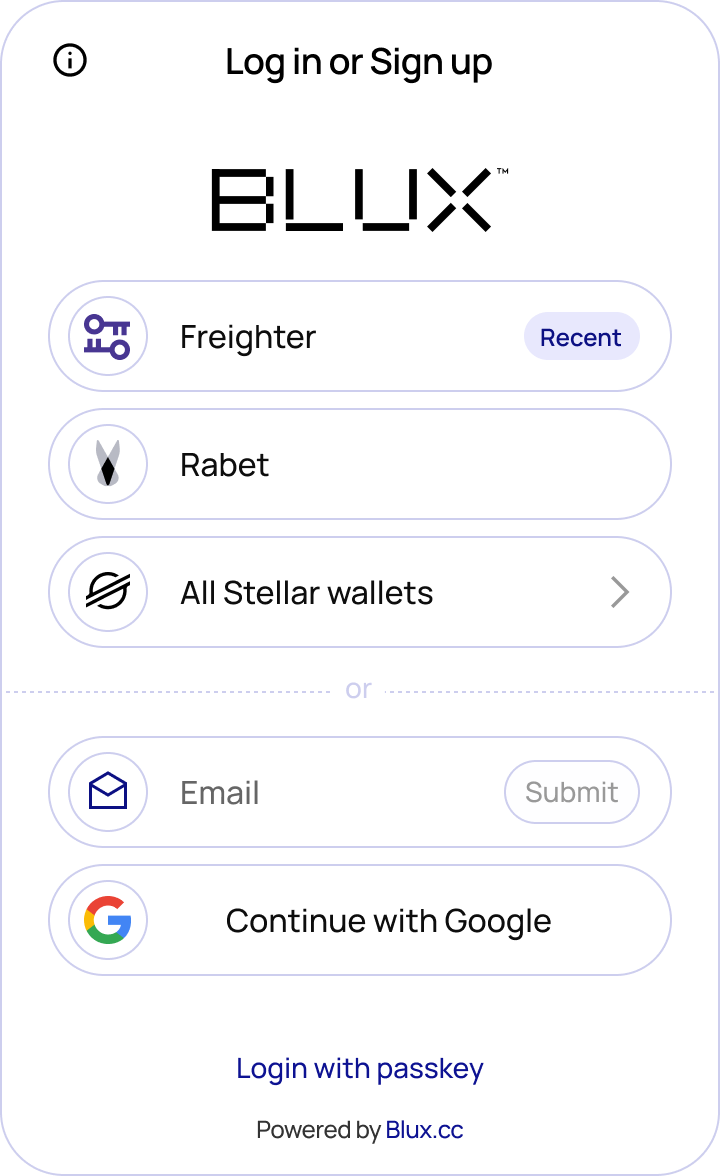
The `blux.login()` method opens the Blux authentication modal, giving users a seamless way to connect with email, phone, social accounts, passkeys, or an existing wallet.
 ## Usage
```tsx
blux.login();
// blux.logout();
console.log(blux.user);
console.log(blux.isReady);
console.log(blux.isAuthenticated);
```
## Usage
```tsx
blux.login();
// blux.logout();
console.log(blux.user);
console.log(blux.isReady);
console.log(blux.isAuthenticated);
```
Keep your Connect button disabled until `blux.isReady` is `true`. This ensures all wallets have reported availability before the modal opens.
---
# Profile
URL: https://docs.blux.cc/javascript/usage/profile
Open the Blux profile modal for connected users to manage their account.
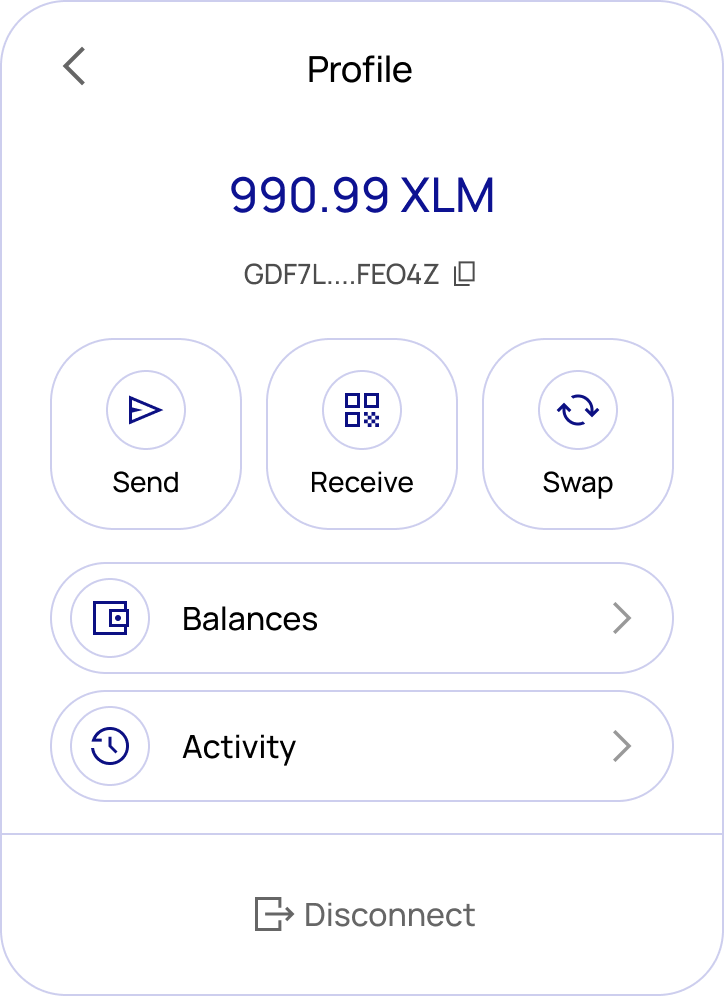
The `blux.profile()` method opens a full account management modal — so you don't need to build common wallet UI yourself.
 ## Usage
```tsx
blux.profile();
```
## Pages
**Receive** — Displays a QR code and the user's public Stellar address with a copy button.
**Balances** — Lists all assets, NFTs, and custom tokens. Each entry shows the icon, code, name, issuer, and balance.
**Send** — A form to send assets to another address. Includes fields for recipient, asset, amount, and an optional memo. Validates balance sufficiency, trustlines, and destination before submitting. Shows a confirmation screen with the transaction hash and explorer link on success.
**Swap** — Swap between assets with a live price quote, slippage tolerance, route details, minimum received amount, and exchange rate. Includes a preview step before submission and a confirmation screen after.
**Activity** — A list of recent transactions showing date, type (send/receive/swap), and amount. Each entry links to the full transaction in the explorer.
**Logout** — Logs the user out and closes the modal.
---
# Send Transaction
URL: https://docs.blux.cc/javascript/usage/send-transaction
Sign and submit a transaction to the Stellar network using Blux.
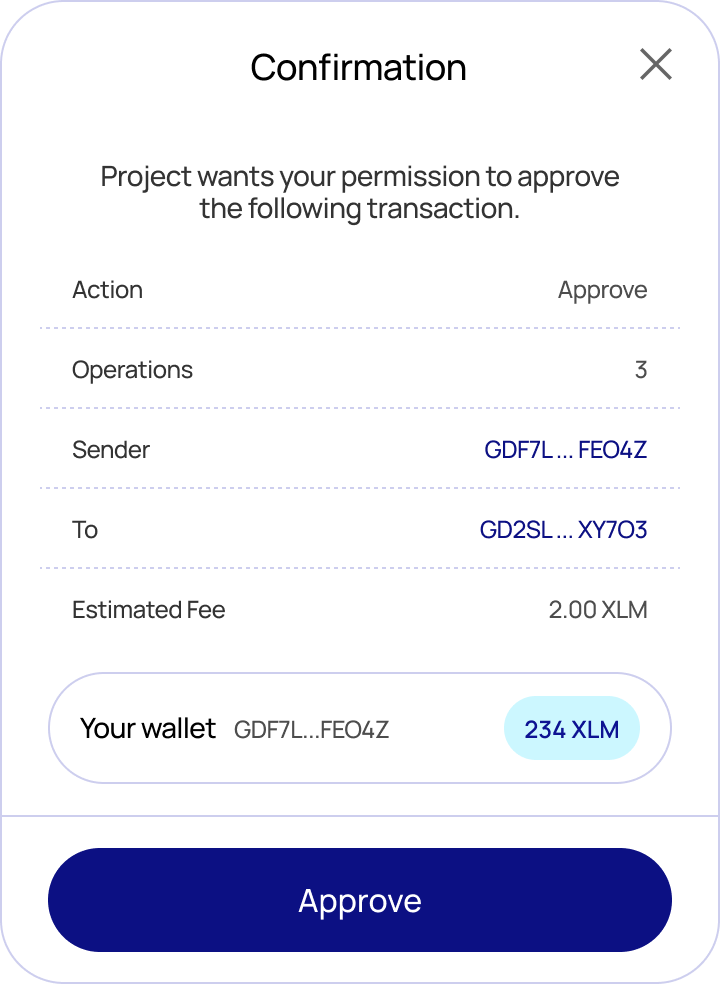
The `blux.sendTransaction()` method **signs** a transaction with the connected wallet and **submits** it to the network. By default Blux shows a confirmation modal displaying the transaction details, estimated fee, and the submitting account before the user approves.
If you only want to sign a transaction without submitting it, use [`signTransaction`](/javascript/usage/sign-transaction) instead.
## Usage
```tsx
blux.profile();
```
## Pages
**Receive** — Displays a QR code and the user's public Stellar address with a copy button.
**Balances** — Lists all assets, NFTs, and custom tokens. Each entry shows the icon, code, name, issuer, and balance.
**Send** — A form to send assets to another address. Includes fields for recipient, asset, amount, and an optional memo. Validates balance sufficiency, trustlines, and destination before submitting. Shows a confirmation screen with the transaction hash and explorer link on success.
**Swap** — Swap between assets with a live price quote, slippage tolerance, route details, minimum received amount, and exchange rate. Includes a preview step before submission and a confirmation screen after.
**Activity** — A list of recent transactions showing date, type (send/receive/swap), and amount. Each entry links to the full transaction in the explorer.
**Logout** — Logs the user out and closes the modal.
---
# Send Transaction
URL: https://docs.blux.cc/javascript/usage/send-transaction
Sign and submit a transaction to the Stellar network using Blux.
The `blux.sendTransaction()` method **signs** a transaction with the connected wallet and **submits** it to the network. By default Blux shows a confirmation modal displaying the transaction details, estimated fee, and the submitting account before the user approves.
If you only want to sign a transaction without submitting it, use [`signTransaction`](/javascript/usage/sign-transaction) instead.
 ## Auto-detected transaction type
`sendTransaction` inspects the transaction and handles each type correctly — you don't choose the path:
- **Classic transactions** (payments, trustlines, offers, account operations, path payments, …) are submitted to Horizon and confirmed immediately.
- **Soroban transactions** (smart-contract calls — `invokeHostFunction`, `extendFootprintTtl`, `restoreFootprint`) are submitted via Soroban RPC and then polled until the network finalizes them (typically a few seconds). The value the contract function returned is decoded and made available on the result.
## Auto-detected transaction type
`sendTransaction` inspects the transaction and handles each type correctly — you don't choose the path:
- **Classic transactions** (payments, trustlines, offers, account operations, path payments, …) are submitted to Horizon and confirmed immediately.
- **Soroban transactions** (smart-contract calls — `invokeHostFunction`, `extendFootprintTtl`, `restoreFootprint`) are submitted via Soroban RPC and then polled until the network finalizes them (typically a few seconds). The value the contract function returned is decoded and made available on the result.
Because of this there is no separate `waitForTransaction`: classic transactions don't need waiting, and Soroban transactions are waited on for you.
## Type
```typescript
type IOptions = {
// Network passphrase to sign/submit against. Defaults to the active network.
// Use the `networks` map, e.g. networks.testnet / networks.mainnet.
network?: string;
};
const sendTransaction: (
xdr: string,
options?: IOptions,
) => Promise;
```
| Parameter | Type | Description |
|---|---|---|
| `xdr` | `string` | Base64-encoded XDR string of the transaction |
| `options.network` | `string` | Network to submit on — omit to use the active network |
### Return value
```typescript
interface ISubmittedTransaction {
// The transaction hash.
hash: string;
// Resolves to the value the invoked contract function returned, decoded to a
// native JS value. Resolves to `null` for classic transactions and for
// Soroban calls whose function returns nothing (void). Always a promise.
returnValue: () => Promise;
// The underlying response object, for advanced use:
// - classic: Horizon SubmitTransactionResponse
// - soroban: the finalized Soroban RPC transaction (GetSuccessfulTransactionResponse)
raw: SubmitTransactionResponse | GetSuccessfulTransactionResponse;
}
```
**Migration note:** the resolved value is now the `ISubmittedTransaction` envelope. `result.hash` works for both types as before, but classic callers who previously read Horizon fields directly off the result (e.g. `result.ledger`, `result.successful`) should now read them from `result.raw`.
## Usage — classic payment
```typescript
const { TransactionBuilder, Operation, Asset, BASE_FEE } = StellarSdk;
// 1. Build an unsigned transaction (a 10 XLM payment).
const source = await getAccount({}); // the logged-in account, on the active network
if (!source) throw new Error("Account not found");
const tx = new TransactionBuilder(source, {
fee: BASE_FEE,
networkPassphrase: networks.testnet,
})
.addOperation(
Operation.payment({
destination: "GDESTINATION...ADDRESS",
asset: Asset.native(),
amount: "10",
}),
)
.setTimeout(180)
.build();
// 2. Sign + submit via the connected wallet.
const result = await blux.sendTransaction(tx.toXDR(), {
network: networks.testnet,
});
console.log(result.hash); // e.g. "a1b2c3..."
console.log(await result.returnValue()); // null — classic txs have no return value
console.log(result.raw.successful); // Horizon fields live under `.raw`
```
## Usage — Soroban contract call
The easiest way to call a contract is [`writeContract`](/javascript/core/writeContract), which builds, simulates, assembles, signs, submits, and waits — returning the same `ISubmittedTransaction`:
```typescript
const result = await writeContract(
{
address: "CCONTRACT...ADDRESS",
fn: "increment",
args: [5],
},
{ network: networks.testnet },
);
console.log(result.hash);
const newCount = await result.returnValue(); // the contract's return value, decoded (e.g. 5)
```
If you build and assemble the contract transaction yourself, `sendTransaction` still detects it's a Soroban transaction, submits via RPC, waits for finalization, and exposes the return value:
```typescript
const result = await blux.sendTransaction(assembledContractXdr, {
network: networks.testnet,
});
const value = await result.returnValue();
```
## Errors
`sendTransaction` rejects with `BLUX:`-prefixed messages:
| Message | Cause |
|---|---|
| `BLUX: User is not authenticated.` | No user is logged in. |
| `BLUX: Blux modal is open elsewhere.` | Another Blux flow is already open. |
| `BLUX: Invalid XDR` | The XDR can't be parsed for the given network. |
| `BLUX: Could not find the connected wallet.` | The connected wallet couldn't be resolved. |
| `BLUX: Failed to submit transaction: …` | RPC rejected the transaction (`ERROR`). |
| `BLUX: The network is busy, please resubmit the transaction.` | RPC returned `TRY_AGAIN_LATER`. |
| `BLUX: Transaction failed on-chain.` | Submitted but failed during execution. |
| `BLUX: Timed out waiting for transaction to finalize.` | Not finalized within ~30s. |
To skip the confirmation modal and handle your own confirmation UI, set `showWalletUIs: false` in `createConfig`. Signing and submission then happen headlessly — the resolved value is identical either way.
---
# Sign Auth Entry
URL: https://docs.blux.cc/javascript/usage/sign-auth-entry
Sign a Soroban authorization entry with the connected wallet using Blux.
The `blux.signAuthEntry()` method asks the connected wallet to sign a single **Soroban authorization entry**. It resolves to the signed entry as a base-64 XDR string.
This is a low-level building block for advanced Soroban flows — multi-party authorization, signing on behalf of a contract account, or assembling `invokeHostFunction` authorization yourself before submitting. For ordinary contract calls you don't need this: [`writeContract`](/javascript/core/writeContract) and [`sendTransaction`](/javascript/usage/send-transaction) handle authorization for you.
## Type
```typescript
type IOptions = {
// Network passphrase to sign against. Defaults to the active network.
// Use the `networks` map, e.g. networks.testnet / networks.mainnet.
network: string;
};
const signAuthEntry: (
authEntry: string,
options?: IOptions,
) => Promise; // the signed auth entry (base-64 XDR)
```
| Parameter | Type | Description |
|---|---|---|
| `authEntry` | `string` | Base64-encoded authorization entry (`HashIdPreimage`) to sign |
| `options.network` | `string` | Network to sign against — omit to use the active network |
## Usage
```typescript
const signEntry = async (authEntry: string) => {
try {
const signedAuthEntry = await blux.signAuthEntry(authEntry);
// `signedAuthEntry` is the signed entry as a base-64 XDR string.
// Attach it to your Soroban operation's authorization before submitting.
console.log(signedAuthEntry);
} catch (error) {
console.error("Something went wrong!");
console.log(error);
}
};
```
Sign against a specific network:
```typescript
const signedAuthEntry = await blux.signAuthEntry(authEntry, {
network: networks.testnet,
});
```
## Errors
`signAuthEntry` rejects (or throws) with `BLUX:`-prefixed messages:
| Message | Cause |
|---|---|
| `BLUX: User is not authenticated.` | No user is logged in. |
| `BLUX: Blux modal is open elsewhere.` | Another Blux flow is already open. |
| `BLUX: Could not find the connected wallet.` | The connected wallet couldn't be resolved. |
| `BLUX: Wallet does not support signAuthEntry.` | The connected wallet has no `signAuthEntry` capability. |
Not every wallet supports signing auth entries. When the connected wallet lacks the capability, the call rejects with `BLUX: Wallet does not support signAuthEntry.` — handle this in your `try/catch`.
To skip the confirmation modal and handle your own confirmation UI, set `showWalletUIs: false` in `createConfig`. The signed entry returned is identical either way.
---
# Sign Message
URL: https://docs.blux.cc/javascript/usage/sign-message
Request a signed message from the connected user using Blux.
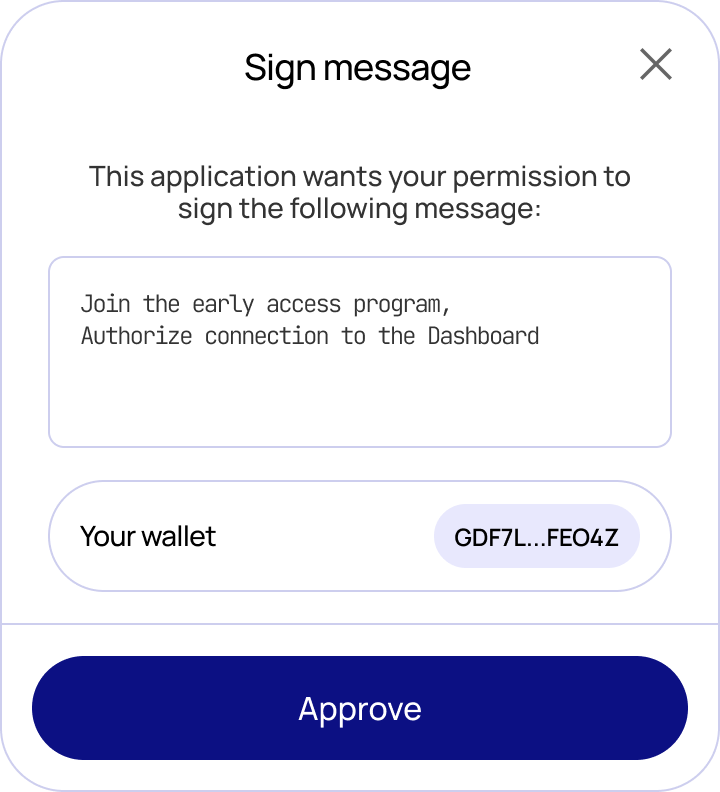
The `blux.signMessage()` method prompts the connected user to sign an arbitrary message. Blux shows a confirmation modal displaying the message content and the signing account before the user approves.
 ## Type
```typescript
type IOptions = {
network?: string;
};
const signMessage: (message: string, options?: IOptions);
```
| Parameter | Type | Description |
|---|---|---|
| `message` | `string` | The message string to sign |
| `options.network` | `string` | Network to use — omit to use the active network |
## Usage
```typescript
const sign = async () => {
try {
const result = await blux.signMessage("Hello");
console.log(result);
} catch (error) {
console.error("Something went wrong!");
console.log(error);
}
};
```
## Type
```typescript
type IOptions = {
network?: string;
};
const signMessage: (message: string, options?: IOptions);
```
| Parameter | Type | Description |
|---|---|---|
| `message` | `string` | The message string to sign |
| `options.network` | `string` | Network to use — omit to use the active network |
## Usage
```typescript
const sign = async () => {
try {
const result = await blux.signMessage("Hello");
console.log(result);
} catch (error) {
console.error("Something went wrong!");
console.log(error);
}
};
```
To skip the confirmation modal and handle your own confirmation UI, set `showWalletUIs: false` in `createConfig`.
---
# Sign Transaction
URL: https://docs.blux.cc/javascript/usage/sign-transaction
Sign a transaction with the connected wallet without submitting it.
The `blux.signTransaction()` method signs a transaction with the connected wallet but **does not submit it**. It resolves to the signed transaction envelope (a base-64 XDR string).
Use this when you want to submit it yourself, store it, send it to a backend, or pass it to a co-signer for multi-signature. If you want Blux to sign **and** submit in one step, use [`sendTransaction`](/javascript/usage/send-transaction) instead.
| Method | Signs? | Submits to network? | Returns |
|---|---|---|---|
| `blux.sendTransaction(xdr, options?)` | ✅ | ✅ | `Promise` |
| `blux.signTransaction(xdr, options?)` | ✅ | ❌ | `Promise` (signed XDR) |
## Type
```typescript
type IOptions = {
// Network passphrase to sign against. Defaults to the active network.
// Use the `networks` map, e.g. networks.testnet / networks.mainnet.
network?: string;
};
const signTransaction: (
xdr: string,
options?: IOptions,
) => Promise; // the signed XDR
```
| Parameter | Type | Description |
|---|---|---|
| `xdr` | `string` | Base64-encoded XDR string of the transaction |
| `options.network` | `string` | Network to sign against — omit to use the active network |
## Usage — sign now, submit later
```typescript
// Sign WITHOUT submitting.
const signedXdr: string = await blux.signTransaction(unsignedXdr, {
network: networks.testnet,
});
// `signedXdr` is the signed envelope — it has NOT been sent to the network.
// Submit it yourself whenever you want, e.g. via the Stellar SDK:
const horizon = new StellarSdk.Horizon.Server("https://horizon-testnet.stellar.org");
const tx = StellarSdk.TransactionBuilder.fromXDR(signedXdr, networks.testnet);
const response = await horizon.submitTransaction(tx);
console.log(response.hash);
```
## Errors
`signTransaction` rejects with `BLUX:`-prefixed messages:
| Message | Cause |
|---|---|
| `BLUX: User is not authenticated.` | No user is logged in. |
| `BLUX: Blux modal is open elsewhere.` | Another Blux flow is already open. |
| `BLUX: Invalid XDR` | The XDR can't be parsed for the given network. |
| `BLUX: Could not find the connected wallet.` | The connected wallet couldn't be resolved. |
To skip the confirmation modal and handle your own confirmation UI, set `showWalletUIs: false` in `createConfig`. The signed XDR returned is identical either way.
---
# White-label Login
URL: https://docs.blux.cc/javascript/usage/white-label-login
Build your own authentication UI with the headless login methods in @bluxcc/core.
White-label login lets you keep your own markup, styling, copy, and user flow while Blux handles authentication, account provisioning, and session state. Instead of opening the complete `blux.login()` modal, call the method for the login option the user selected.
## Available methods
| Login option | Core API | Opens the full Blux login modal? |
|---|---|---|
| Email code | `blux.loginEmail.sendCode()` and `.loginWithCode()` | No |
| SMS code | `blux.loginSms.sendCode()` and `.loginWithCode()` | No |
| Social account | `blux.loginOAuth(provider)` | No; opens the provider popup |
| Passkey | `blux.loginPasskey()` | No; opens the browser's passkey prompt |
| Specific wallet | `blux.loginWallet(walletName)` | No; opens the wallet prompt |
| Wallet picker | `blux.loginWallet()` | Yes; opens Blux's wallet-only picker |
Every successful login method resolves to the authenticated `IUser` and updates `blux.user` and `blux.isAuthenticated`.
The exported method names are `loginEmail`, `loginSms`, `loginOAuth`, `loginPasskey`, and `loginWallet`. Email and SMS use `loginWithCode` for the verification step.
## Configure the allowed methods
Initialize Blux once, and include every method your UI can start in `loginMethods`:
```ts
createConfig({
appId: "your-app-id",
appName: "My App",
networks: [core.networks.mainnet],
loginMethods: [
"email",
"sms",
"google",
"passkey",
"wallet",
],
});
```
A headless method rejects if it is missing from `loginMethods`. Social providers must also be enabled for the same app in the [Blux Dashboard](/dashboard/socials). SMS login requires a paid Blux plan.
## Email login
Email login has two steps: send a one-time code, then verify it.
```ts
const email = "user@example.com";
await blux.loginEmail.sendCode(email);
// Ask the user for the code sent to their inbox.
const user = await blux.loginEmail.loginWithCode(email, "123456");
console.log(user.address);
```
The callable form returns the same pair of methods if it fits your component better:
```ts
const { sendCode, loginWithCode } = blux.loginEmail();
await sendCode("user@example.com");
await loginWithCode("user@example.com", "123456");
```
## SMS login
SMS follows the same two-step flow. Pass phone numbers in international [E.164](https://www.itu.int/rec/T-REC-E.164) format.
```ts
const phone = "+15555555555";
await blux.loginSms.sendCode(phone);
const user = await blux.loginSms.loginWithCode(phone, "123456");
```
Adding `"sms"` to `loginMethods` is not enough on its own. The app must be on a paid plan; otherwise SMS calls reject and SMS is not offered by the built-in login modal.
## Social login
Call `loginOAuth` directly from the user's click. The SDK opens the provider window immediately, completes the callback through Blux, and resolves with the authenticated user.
```ts
googleButton.addEventListener("click", () => {
void blux.loginOAuth("google")
.then((user) => {
console.log("Signed in as", user.address);
})
.catch((error) => {
console.error(error);
});
});
```
Do not wait for another asynchronous operation before calling `loginOAuth`; browsers may otherwise block the popup. The provider must appear in `loginMethods` and be enabled in the dashboard. See [Social Login](/dashboard/socials) for every provider key and the credential setup.
### Telegram
Telegram does not use the OAuth popup. In a Telegram Mini App, Blux reads the available Web App init data when Mini App login is enabled. For a custom Telegram Login Widget, pass the signed widget payload:
```ts
await blux.loginOAuth("telegram", {
telegramUser: widgetUser,
});
```
If you want Blux to render the configured Telegram widget, use `blux.login()` instead.
## Passkey login
`loginPasskey` registers a passkey on the first visit and authenticates with it on later visits.
```ts
passkeyButton.addEventListener("click", () => {
void blux.loginPasskey().then((user) => {
console.log(user.address);
});
});
```
Call it directly from a click or another user gesture so the browser can show its WebAuthn prompt.
## Wallet login
Pass a wallet name to skip Blux's general login modal and open that wallet directly:
```ts
freighterButton.addEventListener("click", () => {
void blux.loginWallet("freighter").then((user) => {
console.log(user.address);
});
});
```
The wallet must be installed and available in the current browser. Call `blux.loginWallet()` without a name when you want Blux's wallet-only picker instead:
```ts
await blux.loginWallet();
```
WalletConnect is the one named-wallet exception: it still opens Blux's QR screen because there is no browser extension prompt to open.
## Readiness, errors, and the hosted fallback
Keep buttons for OAuth, passkeys, and named wallets disabled until `blux.isReady` is `true`. Wrap calls in `try/catch` and show the returned `Error.message` in your own UI.
```ts
async function signInWithWallet() {
if (!blux.isReady) return;
try {
const user = await blux.loginWallet("freighter");
renderAccount(user);
} catch (error) {
renderError(error instanceof Error ? error.message : "Login failed");
}
}
```
You can mix white-label and hosted flows. For example, render custom Google and email buttons, then offer `blux.loginWallet()` for wallet selection or `blux.login()` as an all-method fallback.
`showWalletUIs` controls Blux's signing and transaction confirmation screens. It does not turn white-label login on or off; choosing a headless login method does that.
---
# React
URL: https://docs.blux.cc/react
Integrate Blux into your React or Next.js application.
The `@bluxcc/react` package provides a React-first integration with built-in hooks and components, compatible with any React-based framework including Next.js, Vite, and Create React App.
**Requirements:** React 17 or higher.
## Installation
Install the Blux React SDK using your package manager of choice:
```bash
npm install @bluxcc/react
```
```bash
pnpm add @bluxcc/react
```
```bash
yarn add @bluxcc/react
```
## Setup
Wrap your app with `BluxProvider` to give any component access to the Blux SDK. Place it as close to the root of your application as possible. The only required options are `appId` and `networks`.
```tsx
"use client";
import { networks, BluxProvider } from "@bluxcc/react";
export default function Providers({ children }: { children: React.ReactNode }) {
return (
{children}
);
}
```
```tsx
import React from "react";
import ReactDOM from "react-dom/client";
import { networks, BluxProvider } from "@bluxcc/react";
import App from "./App";
const root = ReactDOM.createRoot(document.getElementById("root")!);
root.render(
,
);
```
## Use it
Call `useBlux` from any child of `BluxProvider` to open the built-in modals.
```tsx
function ConnectButton() {
const { login, isAuthenticated } = useBlux();
return (
);
}
```
{getPageTreePeers(source.getPageTree(), '/react').map((peer) => (
{peer.description}
))}
---
# Hooks
URL: https://docs.blux.cc/react/hooks
React hooks for querying Stellar network data and managing wallet state.
Blux provides hooks for **white-label authentication**, **managing wallet state** (network and transactions), and **querying Stellar network data** (accounts, balances, trades, and more).
Use `useLoginEmail`, `useLoginSms`, `useLoginOAuth`, `useLoginPasskey`, and `useLoginWallet` to build your own login screen. See the [white-label login guide](/react/usage/white-label-login) for complete examples.
All data-fetching hooks are built on [TanStack Query](https://tanstack.com/query/v5) and support the full suite of query options including caching, background refetching, pagination, and dependent queries.
Hooks backed by a core address field accept the same `G…`, `M…`, `C…`, SEP-2,
and `.xlm` values as the corresponding core function. Invalid and unregistered
names surface through the query or mutation's `error`. See
[address resolution and `.xlm` names](/javascript/core/address-resolution).
---
{getPageTreePeers(source.getPageTree(), '/react/hooks').map((peer) => (
{peer.description}
))}
---
# useAccount
URL: https://docs.blux.cc/react/hooks/use-account
Fetch details of a Stellar account in your React app using the Blux SDK.
The `useAccount` hook returns details for a Stellar account. By default it fetches the connected account on the active network, but you can pass an explicit address and network to fetch any account.
The explicit `address` accepts `G…`, `M…`, SEP-2 federation, or `.xlm`; failed
resolution is exposed as the query `error`. See [address resolution](/javascript/core/address-resolution).
## Import
```tsx
```
## Usage
Called with no arguments, it returns the connected account on the current network:
```tsx
function App() {
const { data } = useAccount();
}
```
```tsx
root.render(
);
```
You can combine it with `useBlux` to fetch account details only when the user is authenticated:
```tsx
function App() {
const { user, isAuthenticated } = useBlux();
const { data } = useAccount(
{ address: user?.address },
{ enabled: isAuthenticated }
);
}
```
```tsx
root.render(
);
```
You can also pass TanStack Query options as a second argument to customize caching and refetch behavior:
```tsx
function App() {
const { data } = useAccount(
{ address: "GABK...2N7M", network: networks.mainnet },
{ retry: 3, staleTime: 60000 }
);
}
```
```tsx
root.render(
);
```
Always pass core parameters first, then TanStack Query options. The hook relies on this order to work correctly.
## Parameters
### `address`
`string | undefined`
The Stellar account ID to fetch. Omit to use the currently connected account.
### `network`
`string | undefined`
The network to query. Import `networks` from `@bluxcc/react` to select one.
## Query Options
These are passed as the second argument and map directly to TanStack Query options.
| Option | Type | Default | Description |
|---|---|---|---|
| `enabled` | `boolean` | `true` | Set to `false` to disable automatic fetching |
| `staleTime` | `number \| Infinity` | `0` | Time in ms before data is considered stale |
| `gcTime` | `number \| Infinity` | `300000` | Time in ms before inactive cache data is garbage collected |
| `retry` | `boolean \| number` | `3` | How many times to retry on failure |
| `retryDelay` | `number \| function` | — | Delay in ms between retry attempts |
| `refetchInterval` | `number \| false \| function` | — | Continuously refetch at this interval in ms |
| `refetchOnMount` | `boolean \| 'always'` | `true` | Refetch on component mount if data is stale |
| `refetchOnWindowFocus` | `boolean \| 'always'` | `true` | Refetch when the window regains focus |
| `refetchOnReconnect` | `boolean \| 'always'` | `true` | Refetch when network reconnects |
| `refetchIntervalInBackground` | `boolean` | — | Keep refetching even when tab is in background |
| `placeholderData` | `GetAccountResult \| function` | — | Placeholder data shown while query is pending (not persisted to cache) |
| `initialData` | `GetAccountResult \| function` | — | Initial data for the cache (persisted) |
| `initialDataUpdatedAt` | `number \| function` | — | Timestamp of when `initialData` was last updated |
| `select` | `function` | — | Transform or select a subset of the returned data |
| `notifyOnChangeProps` | `string[] \| 'all'` | — | Limit re-renders to specific property changes |
| `structuralSharing` | `boolean \| function` | `true` | Retain references from old data for performance |
| `networkMode` | `'online' \| 'always' \| 'offlineFirst'` | `'online'` | Controls when queries can run relative to network status |
| `meta` | `Record` | — | Attach arbitrary metadata to the query cache entry |
| `queryClient` | `QueryClient` | — | Use a custom QueryClient instead of the nearest context one |
## Return Type
### `data`
`GetAccountResult | undefined`
```tsx
type GetAccountResult = Horizon.AccountResponse | null;
```
### Status Booleans
| Property | Type | Description |
|---|---|---|
| `isPending` | `boolean` | No cached data and no completed fetch yet |
| `isSuccess` | `boolean` | Query resolved successfully |
| `isError` | `boolean` | Query failed |
| `isLoading` | `boolean` | First fetch in-flight (`isFetching && isPending`) |
| `isFetching` | `boolean` | Query function is currently executing |
| `isRefetching` | `boolean` | Background refetch in progress |
| `isFetched` | `boolean` | Query has been fetched at least once |
| `isFetchedAfterMount` | `boolean` | Query fetched after component mounted |
| `isStale` | `boolean` | Cached data is stale or older than `staleTime` |
| `isPlaceholderData` | `boolean` | Currently showing placeholder data |
| `isLoadingError` | `boolean` | Failed on the first fetch |
| `isRefetchError` | `boolean` | Failed during a background refetch |
| `isPaused` | `boolean` | Query wanted to fetch but was paused |
### Other Returns
| Property | Type | Description |
|---|---|---|
| `status` | `'pending' \| 'success' \| 'error'` | Current query status |
| `fetchStatus` | `'fetching' \| 'idle' \| 'paused'` | Current fetch status |
| `error` | `null \| Error` | Error object if the query failed |
| `dataUpdatedAt` | `number` | Timestamp of last successful fetch |
| `errorUpdatedAt` | `number` | Timestamp of last error |
| `errorUpdateCount` | `number` | Total number of errors |
| `failureCount` | `number` | Failures since last success |
| `failureReason` | `null \| Error` | Reason for last retry failure |
| `refetch` | `function` | Manually trigger a refetch |
---
# useAccounts
URL: https://docs.blux.cc/react/hooks/use-accounts
Fetch a filtered list of Stellar accounts in your React app using the Blux SDK.
The `useAccounts` hook returns a paginated list of Stellar accounts matching the given filters. At least one filter — `forSigner`, `forAsset`, `sponsor`, or `forLiquidityPool` — must be provided.
`forSigner` and `sponsor` accept `G…`, `M…`, SEP-2 federation, or `.xlm`
names. See [address resolution](/javascript/core/address-resolution).
## Import
```tsx
```
## Usage
Filter by asset to fetch all accounts holding a specific token:
```tsx
function App() {
const { data } = useAccounts({
forAsset: new Asset("USDC", "GA5Z...KZVN")
});
}
```
```tsx
root.render(
);
```
Combine with `useBlux` to fetch accounts only when the user is authenticated:
```tsx
function App() {
const { user, isAuthenticated } = useBlux();
const { data } = useAccounts(
{ forSigner: user.address },
{ enabled: isAuthenticated }
);
}
```
```tsx
root.render(
);
```
Pass TanStack Query options as a second argument to customize caching and refetch behavior:
```tsx
function App() {
const { data } = useAccounts(
{ forAsset: new Asset("USDC", "GA5Z...KZVN") },
{ retry: 3, staleTime: 60000 }
);
}
```
```tsx
root.render(
);
```
Always pass core parameters first, then TanStack Query options. The hook relies on this order to work correctly.
## Parameters
### `forSigner`
`string | undefined`
Filter accounts that list the given address as a signer.
### `forAsset`
`Asset | undefined`
Filter accounts that hold the specified asset. Import `Asset` from `@bluxcc/react`.
### `sponsor`
`string | undefined`
Filter accounts sponsored by the specified account ID.
### `forLiquidityPool`
`string | undefined`
Filter accounts related to a specific liquidity pool ID.
### `cursor`
`string | undefined`
Pagination cursor for fetching the next or previous page.
### `limit`
`number | undefined`
Number of records to return per page.
### `network`
`string | undefined`
The network to query. Omit to use the active network.
### `order`
`'asc' | 'desc' | undefined`
Sort order for the results.
## Query Options
| Option | Type | Default | Description |
|---|---|---|---|
| `enabled` | `boolean` | `true` | Set to `false` to disable automatic fetching |
| `staleTime` | `number \| Infinity` | `0` | Time in ms before data is considered stale |
| `gcTime` | `number \| Infinity` | `300000` | Time in ms before inactive cache data is garbage collected |
| `retry` | `boolean \| number` | `3` | How many times to retry on failure |
| `retryDelay` | `number \| function` | — | Delay in ms between retry attempts |
| `refetchInterval` | `number \| false \| function` | — | Continuously refetch at this interval in ms |
| `refetchOnMount` | `boolean \| 'always'` | `true` | Refetch on component mount if data is stale |
| `refetchOnWindowFocus` | `boolean \| 'always'` | `true` | Refetch when the window regains focus |
| `refetchOnReconnect` | `boolean \| 'always'` | `true` | Refetch when network reconnects |
| `refetchIntervalInBackground` | `boolean` | — | Keep refetching even when tab is in background |
| `placeholderData` | `GetAccountsResult \| function` | — | Placeholder data shown while query is pending (not persisted to cache) |
| `initialData` | `GetAccountsResult \| function` | — | Initial data for the cache (persisted) |
| `initialDataUpdatedAt` | `number \| function` | — | Timestamp of when `initialData` was last updated |
| `select` | `function` | — | Transform or select a subset of the returned data |
| `notifyOnChangeProps` | `string[] \| 'all'` | — | Limit re-renders to specific property changes |
| `structuralSharing` | `boolean \| function` | `true` | Retain references from old data for performance |
| `networkMode` | `'online' \| 'always' \| 'offlineFirst'` | `'online'` | Controls when queries can run relative to network status |
| `meta` | `Record` | — | Attach arbitrary metadata to the query cache entry |
| `queryClient` | `QueryClient` | — | Use a custom QueryClient instead of the nearest context one |
## Return Type
### `data`
`GetAccountsResult | undefined`
```tsx
type GetAccountsResult = {
builder: AccountCallBuilder; // .next() and .prev() for pagination
response: Horizon.ServerApi.CollectionPage;
};
```
### Status Booleans
| Property | Type | Description |
|---|---|---|
| `isPending` | `boolean` | No cached data and no completed fetch yet |
| `isSuccess` | `boolean` | Query resolved successfully |
| `isError` | `boolean` | Query failed |
| `isLoading` | `boolean` | First fetch in-flight (`isFetching && isPending`) |
| `isFetching` | `boolean` | Query function is currently executing |
| `isRefetching` | `boolean` | Background refetch in progress |
| `isFetched` | `boolean` | Query has been fetched at least once |
| `isFetchedAfterMount` | `boolean` | Query fetched after component mounted |
| `isStale` | `boolean` | Cached data is stale or older than `staleTime` |
| `isPlaceholderData` | `boolean` | Currently showing placeholder data |
| `isLoadingError` | `boolean` | Failed on the first fetch |
| `isRefetchError` | `boolean` | Failed during a background refetch |
| `isPaused` | `boolean` | Query wanted to fetch but was paused |
### Other Returns
| Property | Type | Description |
|---|---|---|
| `status` | `'pending' \| 'success' \| 'error'` | Current query status |
| `fetchStatus` | `'fetching' \| 'idle' \| 'paused'` | Current fetch status |
| `error` | `null \| Error` | Error object if the query failed |
| `dataUpdatedAt` | `number` | Timestamp of last successful fetch |
| `errorUpdatedAt` | `number` | Timestamp of last error |
| `errorUpdateCount` | `number` | Total number of errors |
| `failureCount` | `number` | Failures since last success |
| `failureReason` | `null \| Error` | Reason for last retry failure |
| `refetch` | `function` | Manually trigger a refetch |
---
# useAssets
URL: https://docs.blux.cc/react/hooks/use-assets
Fetch a paginated list of Stellar assets in your React app using the Blux SDK.
The `useAssets` hook returns a paginated list of Stellar assets. All parameters are optional — called with no arguments it returns the latest assets from the network.
`forIssuer` accepts a `G…`/`M…` account, SEP-2 federation address, or `.xlm`
name. See [address resolution](/javascript/core/address-resolution).
## Import
```tsx
```
## Usage
Called with no arguments:
```tsx
function App() {
const { data } = useAssets();
}
```
```tsx
root.render(
);
```
With filters and TanStack Query options:
```tsx
function App() {
const { data, isStale } = useAssets(
{ forCode: "USDC" },
{ retry: 2, staleTime: 60000 }
);
}
```
```tsx
root.render(
);
```
Always pass core parameters first, then TanStack Query options. The hook relies on this order to work correctly.
## Parameters
### `forCode`
`string | undefined`
Filter assets by asset code (e.g. `"USDC"`).
### `forIssuer`
`string | undefined`
Filter assets by issuer account ID.
### `cursor`
`string | undefined`
Pagination cursor for fetching the next or previous page.
### `limit`
`number | undefined`
Number of records to return per page.
### `network`
`string | undefined`
The network to query. Omit to use the active network.
### `order`
`'asc' | 'desc' | undefined`
Sort order for the results.
## Query Options
| Option | Type | Default | Description |
|---|---|---|---|
| `enabled` | `boolean` | `true` | Set to `false` to disable automatic fetching |
| `staleTime` | `number \| Infinity` | `0` | Time in ms before data is considered stale |
| `gcTime` | `number \| Infinity` | `300000` | Time in ms before inactive cache data is garbage collected |
| `retry` | `boolean \| number` | `3` | How many times to retry on failure |
| `retryDelay` | `number \| function` | — | Delay in ms between retry attempts |
| `refetchInterval` | `number \| false \| function` | — | Continuously refetch at this interval in ms |
| `refetchOnMount` | `boolean \| 'always'` | `true` | Refetch on component mount if data is stale |
| `refetchOnWindowFocus` | `boolean \| 'always'` | `true` | Refetch when the window regains focus |
| `refetchOnReconnect` | `boolean \| 'always'` | `true` | Refetch when network reconnects |
| `refetchIntervalInBackground` | `boolean` | — | Keep refetching even when tab is in background |
| `placeholderData` | `GetAssetsResult \| function` | — | Placeholder data shown while query is pending (not persisted to cache) |
| `initialData` | `GetAssetsResult \| function` | — | Initial data for the cache (persisted) |
| `initialDataUpdatedAt` | `number \| function` | — | Timestamp of when `initialData` was last updated |
| `select` | `function` | — | Transform or select a subset of the returned data |
| `notifyOnChangeProps` | `string[] \| 'all'` | — | Limit re-renders to specific property changes |
| `structuralSharing` | `boolean \| function` | `true` | Retain references from old data for performance |
| `networkMode` | `'online' \| 'always' \| 'offlineFirst'` | `'online'` | Controls when queries can run relative to network status |
| `meta` | `Record` | — | Attach arbitrary metadata to the query cache entry |
| `queryClient` | `QueryClient` | — | Use a custom QueryClient instead of the nearest context one |
## Return Type
### `data`
`GetAssetsResult | undefined`
```tsx
type GetAssetsResult = {
builder: AssetsCallBuilder; // .next() and .prev() for pagination
response: Horizon.ServerApi.CollectionPage;
};
```
### Status Booleans
| Property | Type | Description |
|---|---|---|
| `isPending` | `boolean` | No cached data and no completed fetch yet |
| `isSuccess` | `boolean` | Query resolved successfully |
| `isError` | `boolean` | Query failed |
| `isLoading` | `boolean` | First fetch in-flight (`isFetching && isPending`) |
| `isFetching` | `boolean` | Query function is currently executing |
| `isRefetching` | `boolean` | Background refetch in progress |
| `isFetched` | `boolean` | Query has been fetched at least once |
| `isFetchedAfterMount` | `boolean` | Query fetched after component mounted |
| `isStale` | `boolean` | Cached data is stale or older than `staleTime` |
| `isPlaceholderData` | `boolean` | Currently showing placeholder data |
| `isLoadingError` | `boolean` | Failed on the first fetch |
| `isRefetchError` | `boolean` | Failed during a background refetch |
| `isPaused` | `boolean` | Query wanted to fetch but was paused |
### Other Returns
| Property | Type | Description |
|---|---|---|
| `status` | `'pending' \| 'success' \| 'error'` | Current query status |
| `fetchStatus` | `'fetching' \| 'idle' \| 'paused'` | Current fetch status |
| `error` | `null \| Error` | Error object if the query failed |
| `dataUpdatedAt` | `number` | Timestamp of last successful fetch |
| `errorUpdatedAt` | `number` | Timestamp of last error |
| `errorUpdateCount` | `number` | Total number of errors |
| `failureCount` | `number` | Failures since last success |
| `failureReason` | `null \| Error` | Reason for last retry failure |
| `refetch` | `function` | Manually trigger a refetch |
---
# useBalances
URL: https://docs.blux.cc/react/hooks/use-balances
Fetch the balances of a Stellar account in your React app using the Blux SDK.
The `useBalances` hook returns the balances of a Stellar account. By default it fetches balances for the connected account on the active network, but you can pass an explicit address and network to fetch any account's balances.
The explicit `address` accepts `G…`, `M…`, SEP-2 federation, or `.xlm`; failed
resolution is exposed as the query `error`. See [address resolution](/javascript/core/address-resolution).
## Import
```tsx
```
## Usage
Called with no arguments:
```tsx
function App() {
const { data } = useBalances();
}
```
```tsx
root.render(
);
```
Combine with `useBlux` to fetch balances only when the user is authenticated:
```tsx
function App() {
const { user, isAuthenticated } = useBlux();
const { data } = useBalances(
{ address: user?.address },
{ enabled: isAuthenticated }
);
}
```
```tsx
root.render(
);
```
With filters and TanStack Query options:
```tsx
function App() {
const { data, isStale } = useBalances(
{ address: "GABK....2N7M", includeZeroBalances: false },
{ retry: 2, staleTime: 60000 }
);
}
```
```tsx
root.render(
);
```
Always pass core parameters first, then TanStack Query options. The hook relies on this order to work correctly.
## Parameters
### `address`
`string | undefined`
The Stellar account ID to fetch balances for. Omit to use the currently connected account.
### `network`
`string | undefined`
The network to query. Import `networks` from `@bluxcc/react` to select one.
### `includeZeroBalances`
`boolean | undefined`
When `true`, zero-balance assets are included in the result. Defaults to excluding them.
## Query Options
| Option | Type | Default | Description |
|---|---|---|---|
| `enabled` | `boolean` | `true` | Set to `false` to disable automatic fetching |
| `staleTime` | `number \| Infinity` | `0` | Time in ms before data is considered stale |
| `gcTime` | `number \| Infinity` | `300000` | Time in ms before inactive cache data is garbage collected |
| `retry` | `boolean \| number` | `3` | How many times to retry on failure |
| `retryDelay` | `number \| function` | — | Delay in ms between retry attempts |
| `refetchInterval` | `number \| false \| function` | — | Continuously refetch at this interval in ms |
| `refetchOnMount` | `boolean \| 'always'` | `true` | Refetch on component mount if data is stale |
| `refetchOnWindowFocus` | `boolean \| 'always'` | `true` | Refetch when the window regains focus |
| `refetchOnReconnect` | `boolean \| 'always'` | `true` | Refetch when network reconnects |
| `refetchIntervalInBackground` | `boolean` | — | Keep refetching even when tab is in background |
| `placeholderData` | `GetBalancesResult \| function` | — | Placeholder data shown while query is pending (not persisted to cache) |
| `initialData` | `GetBalancesResult \| function` | — | Initial data for the cache (persisted) |
| `initialDataUpdatedAt` | `number \| function` | — | Timestamp of when `initialData` was last updated |
| `select` | `function` | — | Transform or select a subset of the returned data |
| `notifyOnChangeProps` | `string[] \| 'all'` | — | Limit re-renders to specific property changes |
| `structuralSharing` | `boolean \| function` | `true` | Retain references from old data for performance |
| `networkMode` | `'online' \| 'always' \| 'offlineFirst'` | `'online'` | Controls when queries can run relative to network status |
| `meta` | `Record` | — | Attach arbitrary metadata to the query cache entry |
| `queryClient` | `QueryClient` | — | Use a custom QueryClient instead of the nearest context one |
## Return Type
### `data`
`GetBalancesResult | undefined`
```tsx
type GetBalancesResult = Horizon.HorizonApi.BalanceLine[];
```
### Status Booleans
| Property | Type | Description |
|---|---|---|
| `isPending` | `boolean` | No cached data and no completed fetch yet |
| `isSuccess` | `boolean` | Query resolved successfully |
| `isError` | `boolean` | Query failed |
| `isLoading` | `boolean` | First fetch in-flight (`isFetching && isPending`) |
| `isFetching` | `boolean` | Query function is currently executing |
| `isRefetching` | `boolean` | Background refetch in progress |
| `isFetched` | `boolean` | Query has been fetched at least once |
| `isFetchedAfterMount` | `boolean` | Query fetched after component mounted |
| `isStale` | `boolean` | Cached data is stale or older than `staleTime` |
| `isPlaceholderData` | `boolean` | Currently showing placeholder data |
| `isLoadingError` | `boolean` | Failed on the first fetch |
| `isRefetchError` | `boolean` | Failed during a background refetch |
| `isPaused` | `boolean` | Query wanted to fetch but was paused |
### Other Returns
| Property | Type | Description |
|---|---|---|
| `status` | `'pending' \| 'success' \| 'error'` | Current query status |
| `fetchStatus` | `'fetching' \| 'idle' \| 'paused'` | Current fetch status |
| `error` | `null \| Error` | Error object if the query failed |
| `dataUpdatedAt` | `number` | Timestamp of last successful fetch |
| `errorUpdatedAt` | `number` | Timestamp of last error |
| `errorUpdateCount` | `number` | Total number of errors |
| `failureCount` | `number` | Failures since last success |
| `failureReason` | `null \| Error` | Reason for last retry failure |
| `refetch` | `function` | Manually trigger a refetch |
---
# useClaimableBalances
URL: https://docs.blux.cc/react/hooks/use-claimable-balances
Fetch a paginated list of claimable balances in your React app using the Blux SDK.
The `useClaimableBalances` hook returns a paginated list of claimable balances. Pass an `asset`; `claimant` defaults to the connected account, and `sponsor` is optional.
`claimant` and `sponsor` accept `G…`, `M…`, SEP-2 federation, or `.xlm`
names. See [address resolution](/javascript/core/address-resolution).
## Import
```tsx
```
## Usage
Read the connected account's claimable XLM balances:
```tsx
function App() {
const { data } = useClaimableBalances({ asset: "xlm" });
}
```
```tsx
root.render(
);
```
With filters and TanStack Query options:
```tsx
function App() {
const { data, isStale } = useClaimableBalances(
{ asset: Asset.native() },
{ retry: 2, staleTime: 60000 }
);
}
```
```tsx
root.render(
);
```
Always pass core parameters first, then TanStack Query options. The hook relies on this order to work correctly.
## Parameters
### `asset`
`Asset | undefined`
Filter by asset. Import `Asset` from `@bluxcc/react`.
### `sponsor`
`string | undefined`
Filter claimable balances sponsored by a specific account ID.
### `claimant`
`string | undefined`
Filter claimable balances where the specified account is listed as a claimant.
### `cursor`
`string | undefined`
Pagination cursor for fetching the next or previous page.
### `limit`
`number | undefined`
Number of records to return per page.
### `network`
`string | undefined`
The network to query. Omit to use the active network.
### `order`
`'asc' | 'desc' | undefined`
Sort order for the results.
## Query Options
| Option | Type | Default | Description |
|---|---|---|---|
| `enabled` | `boolean` | `true` | Set to `false` to disable automatic fetching |
| `staleTime` | `number \| Infinity` | `0` | Time in ms before data is considered stale |
| `gcTime` | `number \| Infinity` | `300000` | Time in ms before inactive cache data is garbage collected |
| `retry` | `boolean \| number` | `3` | How many times to retry on failure |
| `retryDelay` | `number \| function` | — | Delay in ms between retry attempts |
| `refetchInterval` | `number \| false \| function` | — | Continuously refetch at this interval in ms |
| `refetchOnMount` | `boolean \| 'always'` | `true` | Refetch on component mount if data is stale |
| `refetchOnWindowFocus` | `boolean \| 'always'` | `true` | Refetch when the window regains focus |
| `refetchOnReconnect` | `boolean \| 'always'` | `true` | Refetch when network reconnects |
| `refetchIntervalInBackground` | `boolean` | — | Keep refetching even when tab is in background |
| `placeholderData` | `GetClaimableBalancesResult \| function` | — | Placeholder data shown while query is pending (not persisted to cache) |
| `initialData` | `GetClaimableBalancesResult \| function` | — | Initial data for the cache (persisted) |
| `initialDataUpdatedAt` | `number \| function` | — | Timestamp of when `initialData` was last updated |
| `select` | `function` | — | Transform or select a subset of the returned data |
| `notifyOnChangeProps` | `string[] \| 'all'` | — | Limit re-renders to specific property changes |
| `structuralSharing` | `boolean \| function` | `true` | Retain references from old data for performance |
| `networkMode` | `'online' \| 'always' \| 'offlineFirst'` | `'online'` | Controls when queries can run relative to network status |
| `meta` | `Record` | — | Attach arbitrary metadata to the query cache entry |
| `queryClient` | `QueryClient` | — | Use a custom QueryClient instead of the nearest context one |
## Return Type
### `data`
`GetClaimableBalancesResult | undefined`
```tsx
type GetClaimableBalancesResult = {
builder: ClaimableBalanceCallBuilder; // .next() and .prev() for pagination
response: Horizon.ServerApi.CollectionPage;
};
```
### Status Booleans
| Property | Type | Description |
|---|---|---|
| `isPending` | `boolean` | No cached data and no completed fetch yet |
| `isSuccess` | `boolean` | Query resolved successfully |
| `isError` | `boolean` | Query failed |
| `isLoading` | `boolean` | First fetch in-flight (`isFetching && isPending`) |
| `isFetching` | `boolean` | Query function is currently executing |
| `isRefetching` | `boolean` | Background refetch in progress |
| `isFetched` | `boolean` | Query has been fetched at least once |
| `isFetchedAfterMount` | `boolean` | Query fetched after component mounted |
| `isStale` | `boolean` | Cached data is stale or older than `staleTime` |
| `isPlaceholderData` | `boolean` | Currently showing placeholder data |
| `isLoadingError` | `boolean` | Failed on the first fetch |
| `isRefetchError` | `boolean` | Failed during a background refetch |
| `isPaused` | `boolean` | Query wanted to fetch but was paused |
### Other Returns
| Property | Type | Description |
|---|---|---|
| `status` | `'pending' \| 'success' \| 'error'` | Current query status |
| `fetchStatus` | `'fetching' \| 'idle' \| 'paused'` | Current fetch status |
| `error` | `null \| Error` | Error object if the query failed |
| `dataUpdatedAt` | `number` | Timestamp of last successful fetch |
| `errorUpdatedAt` | `number` | Timestamp of last error |
| `errorUpdateCount` | `number` | Total number of errors |
| `failureCount` | `number` | Failures since last success |
| `failureReason` | `null \| Error` | Reason for last retry failure |
| `refetch` | `function` | Manually trigger a refetch |
---
# useEffects
URL: https://docs.blux.cc/react/hooks/use-effects
Fetch a paginated list of Stellar effects in your React app using the Blux SDK.
The `useEffects` hook returns a paginated list of Stellar effects. All parameters are optional — called with no arguments it returns the latest effects from the network.
`forAccount` accepts `G…`, `M…`, SEP-2 federation, or `.xlm`. See
[address resolution](/javascript/core/address-resolution).
## Import
```tsx
```
## Usage
Called with no arguments:
```tsx
function App() {
const { data } = useEffects();
}
```
```tsx
root.render(
);
```
Combine with `useBlux` to fetch effects only when the user is authenticated:
```tsx
function App() {
const { user, isAuthenticated } = useBlux();
const { data } = useEffects(
{ forAccount: user?.address },
{ enabled: isAuthenticated }
);
}
```
```tsx
root.render(
);
```
With filters and TanStack Query options:
```tsx
function App() {
const { data, isStale } = useEffects(
{ forLedger: 60221517 },
{ retry: 2, staleTime: 60000 }
);
}
```
```tsx
root.render(
);
```
Always pass core parameters first, then TanStack Query options. The hook relies on this order to work correctly.
## Parameters
### `forAccount`
`string | undefined`
Fetch effects for a specific Stellar account ID.
### `forLedger`
`number | string | undefined`
Fetch effects emitted in a specific ledger sequence.
### `forTransaction`
`string | undefined`
Fetch effects related to a specific transaction hash.
### `forOperation`
`string | undefined`
Fetch effects produced by a specific operation.
### `forLiquidityPool`
`string | undefined`
Fetch effects related to a specific liquidity pool.
### `cursor`
`string | undefined`
Pagination cursor for fetching the next or previous page.
### `limit`
`number | undefined`
Number of records to return per page.
### `network`
`string | undefined`
The network to query. Omit to use the active network.
### `order`
`'asc' | 'desc' | undefined`
Sort order for the results.
## Query Options
| Option | Type | Default | Description |
|---|---|---|---|
| `enabled` | `boolean` | `true` | Set to `false` to disable automatic fetching |
| `staleTime` | `number \| Infinity` | `0` | Time in ms before data is considered stale |
| `gcTime` | `number \| Infinity` | `300000` | Time in ms before inactive cache data is garbage collected |
| `retry` | `boolean \| number` | `3` | How many times to retry on failure |
| `retryDelay` | `number \| function` | — | Delay in ms between retry attempts |
| `refetchInterval` | `number \| false \| function` | — | Continuously refetch at this interval in ms |
| `refetchOnMount` | `boolean \| 'always'` | `true` | Refetch on component mount if data is stale |
| `refetchOnWindowFocus` | `boolean \| 'always'` | `true` | Refetch when the window regains focus |
| `refetchOnReconnect` | `boolean \| 'always'` | `true` | Refetch when network reconnects |
| `refetchIntervalInBackground` | `boolean` | — | Keep refetching even when tab is in background |
| `placeholderData` | `GetEffectsResult \| function` | — | Placeholder data shown while query is pending (not persisted to cache) |
| `initialData` | `GetEffectsResult \| function` | — | Initial data for the cache (persisted) |
| `initialDataUpdatedAt` | `number \| function` | — | Timestamp of when `initialData` was last updated |
| `select` | `function` | — | Transform or select a subset of the returned data |
| `notifyOnChangeProps` | `string[] \| 'all'` | — | Limit re-renders to specific property changes |
| `structuralSharing` | `boolean \| function` | `true` | Retain references from old data for performance |
| `networkMode` | `'online' \| 'always' \| 'offlineFirst'` | `'online'` | Controls when queries can run relative to network status |
| `meta` | `Record` | — | Attach arbitrary metadata to the query cache entry |
| `queryClient` | `QueryClient` | — | Use a custom QueryClient instead of the nearest context one |
## Return Type
### `data`
`GetEffectsResult | undefined`
```tsx
type GetEffectsResult = {
builder: EffectCallBuilder; // .next() and .prev() for pagination
response: Horizon.ServerApi.CollectionPage;
};
```
### Status Booleans
| Property | Type | Description |
|---|---|---|
| `isPending` | `boolean` | No cached data and no completed fetch yet |
| `isSuccess` | `boolean` | Query resolved successfully |
| `isError` | `boolean` | Query failed |
| `isLoading` | `boolean` | First fetch in-flight (`isFetching && isPending`) |
| `isFetching` | `boolean` | Query function is currently executing |
| `isRefetching` | `boolean` | Background refetch in progress |
| `isFetched` | `boolean` | Query has been fetched at least once |
| `isFetchedAfterMount` | `boolean` | Query fetched after component mounted |
| `isStale` | `boolean` | Cached data is stale or older than `staleTime` |
| `isPlaceholderData` | `boolean` | Currently showing placeholder data |
| `isLoadingError` | `boolean` | Failed on the first fetch |
| `isRefetchError` | `boolean` | Failed during a background refetch |
| `isPaused` | `boolean` | Query wanted to fetch but was paused |
### Other Returns
| Property | Type | Description |
|---|---|---|
| `status` | `'pending' \| 'success' \| 'error'` | Current query status |
| `fetchStatus` | `'fetching' \| 'idle' \| 'paused'` | Current fetch status |
| `error` | `null \| Error` | Error object if the query failed |
| `dataUpdatedAt` | `number` | Timestamp of last successful fetch |
| `errorUpdatedAt` | `number` | Timestamp of last error |
| `errorUpdateCount` | `number` | Total number of errors |
| `failureCount` | `number` | Failures since last success |
| `failureReason` | `null \| Error` | Reason for last retry failure |
| `refetch` | `function` | Manually trigger a refetch |
---
# useLedgers
URL: https://docs.blux.cc/react/hooks/use-ledgers
Fetch a paginated list of Stellar ledgers in your React app using the Blux SDK.
The `useLedgers` hook returns a paginated list of Stellar ledgers. All parameters are optional — called with no arguments it returns the latest ledgers from the network.
## Import
```tsx
```
## Usage
Called with no arguments:
```tsx
function App() {
const { data } = useLedgers();
}
```
```tsx
root.render(
);
```
With filters and TanStack Query options:
```tsx
function App() {
const { data, isStale } = useLedgers(
{ ledger: 60221517 },
{ retry: 2, staleTime: 60000 }
);
}
```
```tsx
root.render(
);
```
Always pass core parameters first, then TanStack Query options. The hook relies on this order to work correctly.
## Parameters
### `ledger`
`number | string | undefined`
Fetch data for a specific ledger sequence number.
### `cursor`
`string | undefined`
Pagination cursor for fetching the next or previous page.
### `limit`
`number | undefined`
Number of records to return per page.
### `network`
`string | undefined`
The network to query. Omit to use the active network.
### `order`
`'asc' | 'desc' | undefined`
Sort order for the results.
## Query Options
| Option | Type | Default | Description |
|---|---|---|---|
| `enabled` | `boolean` | `true` | Set to `false` to disable automatic fetching |
| `staleTime` | `number \| Infinity` | `0` | Time in ms before data is considered stale |
| `gcTime` | `number \| Infinity` | `300000` | Time in ms before inactive cache data is garbage collected |
| `retry` | `boolean \| number` | `3` | How many times to retry on failure |
| `retryDelay` | `number \| function` | — | Delay in ms between retry attempts |
| `refetchInterval` | `number \| false \| function` | — | Continuously refetch at this interval in ms |
| `refetchOnMount` | `boolean \| 'always'` | `true` | Refetch on component mount if data is stale |
| `refetchOnWindowFocus` | `boolean \| 'always'` | `true` | Refetch when the window regains focus |
| `refetchOnReconnect` | `boolean \| 'always'` | `true` | Refetch when network reconnects |
| `refetchIntervalInBackground` | `boolean` | — | Keep refetching even when tab is in background |
| `placeholderData` | `GetLedgersResult \| function` | — | Placeholder data shown while query is pending (not persisted to cache) |
| `initialData` | `GetLedgersResult \| function` | — | Initial data for the cache (persisted) |
| `initialDataUpdatedAt` | `number \| function` | — | Timestamp of when `initialData` was last updated |
| `select` | `function` | — | Transform or select a subset of the returned data |
| `notifyOnChangeProps` | `string[] \| 'all'` | — | Limit re-renders to specific property changes |
| `structuralSharing` | `boolean \| function` | `true` | Retain references from old data for performance |
| `networkMode` | `'online' \| 'always' \| 'offlineFirst'` | `'online'` | Controls when queries can run relative to network status |
| `meta` | `Record` | — | Attach arbitrary metadata to the query cache entry |
| `queryClient` | `QueryClient` | — | Use a custom QueryClient instead of the nearest context one |
## Return Type
### `data`
`GetLedgersResult | undefined`
```tsx
type GetLedgersResult = {
builder: LedgerCallBuilder; // .next() and .prev() for pagination
response: Horizon.ServerApi.CollectionPage;
};
```
### Status Booleans
| Property | Type | Description |
|---|---|---|
| `isPending` | `boolean` | No cached data and no completed fetch yet |
| `isSuccess` | `boolean` | Query resolved successfully |
| `isError` | `boolean` | Query failed |
| `isLoading` | `boolean` | First fetch in-flight (`isFetching && isPending`) |
| `isFetching` | `boolean` | Query function is currently executing |
| `isRefetching` | `boolean` | Background refetch in progress |
| `isFetched` | `boolean` | Query has been fetched at least once |
| `isFetchedAfterMount` | `boolean` | Query fetched after component mounted |
| `isStale` | `boolean` | Cached data is stale or older than `staleTime` |
| `isPlaceholderData` | `boolean` | Currently showing placeholder data |
| `isLoadingError` | `boolean` | Failed on the first fetch |
| `isRefetchError` | `boolean` | Failed during a background refetch |
| `isPaused` | `boolean` | Query wanted to fetch but was paused |
### Other Returns
| Property | Type | Description |
|---|---|---|
| `status` | `'pending' \| 'success' \| 'error'` | Current query status |
| `fetchStatus` | `'fetching' \| 'idle' \| 'paused'` | Current fetch status |
| `error` | `null \| Error` | Error object if the query failed |
| `dataUpdatedAt` | `number` | Timestamp of last successful fetch |
| `errorUpdatedAt` | `number` | Timestamp of last error |
| `errorUpdateCount` | `number` | Total number of errors |
| `failureCount` | `number` | Failures since last success |
| `failureReason` | `null \| Error` | Reason for last retry failure |
| `refetch` | `function` | Manually trigger a refetch |
---
# useLiquidityPools
URL: https://docs.blux.cc/react/hooks/use-liquidity-pools
Fetch a paginated list of Stellar liquidity pools in your React app using the Blux SDK.
The `useLiquidityPools` hook returns a paginated list of Stellar liquidity pools. All parameters are optional — called with no arguments it returns the latest pools from the network.
`forAccount` accepts `G…`, `M…`, SEP-2 federation, or `.xlm`. See
[address resolution](/javascript/core/address-resolution).
## Import
```tsx
```
## Usage
Called with no arguments:
```tsx
function App() {
const { data } = useLiquidityPools();
}
```
```tsx
root.render(
);
```
Combine with `useBlux` to fetch pools only when the user is authenticated:
```tsx
function App() {
const { user, isAuthenticated } = useBlux();
const { data } = useLiquidityPools(
{ forAccount: user?.address },
{ enabled: isAuthenticated }
);
}
```
```tsx
root.render(
);
```
With filters and TanStack Query options:
```tsx
function App() {
const { data, isStale } = useLiquidityPools(
{ forAccount: "GABK....2N7M" },
{ retry: 2, staleTime: 60000 }
);
}
```
```tsx
root.render(
);
```
Always pass core parameters first, then TanStack Query options. The hook relies on this order to work correctly.
## Parameters
### `forAssets`
`Array | undefined`
Filter pools that include any of the provided assets. Import `Asset` from `@bluxcc/react`.
### `forAccount`
`string | undefined`
Fetch liquidity pools associated with a specific account ID.
### `cursor`
`string | undefined`
Pagination cursor for fetching the next or previous page.
### `limit`
`number | undefined`
Number of records to return per page.
### `network`
`string | undefined`
The network to query. Omit to use the active network.
### `order`
`'asc' | 'desc' | undefined`
Sort order for the results.
## Query Options
| Option | Type | Default | Description |
|---|---|---|---|
| `enabled` | `boolean` | `true` | Set to `false` to disable automatic fetching |
| `staleTime` | `number \| Infinity` | `0` | Time in ms before data is considered stale |
| `gcTime` | `number \| Infinity` | `300000` | Time in ms before inactive cache data is garbage collected |
| `retry` | `boolean \| number` | `3` | How many times to retry on failure |
| `retryDelay` | `number \| function` | — | Delay in ms between retry attempts |
| `refetchInterval` | `number \| false \| function` | — | Continuously refetch at this interval in ms |
| `refetchOnMount` | `boolean \| 'always'` | `true` | Refetch on component mount if data is stale |
| `refetchOnWindowFocus` | `boolean \| 'always'` | `true` | Refetch when the window regains focus |
| `refetchOnReconnect` | `boolean \| 'always'` | `true` | Refetch when network reconnects |
| `refetchIntervalInBackground` | `boolean` | — | Keep refetching even when tab is in background |
| `placeholderData` | `GetLiquidityPoolsResult \| function` | — | Placeholder data shown while query is pending (not persisted to cache) |
| `initialData` | `GetLiquidityPoolsResult \| function` | — | Initial data for the cache (persisted) |
| `initialDataUpdatedAt` | `number \| function` | — | Timestamp of when `initialData` was last updated |
| `select` | `function` | — | Transform or select a subset of the returned data |
| `notifyOnChangeProps` | `string[] \| 'all'` | — | Limit re-renders to specific property changes |
| `structuralSharing` | `boolean \| function` | `true` | Retain references from old data for performance |
| `networkMode` | `'online' \| 'always' \| 'offlineFirst'` | `'online'` | Controls when queries can run relative to network status |
| `meta` | `Record` | — | Attach arbitrary metadata to the query cache entry |
| `queryClient` | `QueryClient` | — | Use a custom QueryClient instead of the nearest context one |
## Return Type
### `data`
`GetLiquidityPoolsResult | undefined`
```tsx
type GetLiquidityPoolsResult = {
builder: LiquidityPoolCallBuilder; // .next() and .prev() for pagination
response: Horizon.ServerApi.CollectionPage;
};
```
### Status Booleans
| Property | Type | Description |
|---|---|---|
| `isPending` | `boolean` | No cached data and no completed fetch yet |
| `isSuccess` | `boolean` | Query resolved successfully |
| `isError` | `boolean` | Query failed |
| `isLoading` | `boolean` | First fetch in-flight (`isFetching && isPending`) |
| `isFetching` | `boolean` | Query function is currently executing |
| `isRefetching` | `boolean` | Background refetch in progress |
| `isFetched` | `boolean` | Query has been fetched at least once |
| `isFetchedAfterMount` | `boolean` | Query fetched after component mounted |
| `isStale` | `boolean` | Cached data is stale or older than `staleTime` |
| `isPlaceholderData` | `boolean` | Currently showing placeholder data |
| `isLoadingError` | `boolean` | Failed on the first fetch |
| `isRefetchError` | `boolean` | Failed during a background refetch |
| `isPaused` | `boolean` | Query wanted to fetch but was paused |
### Other Returns
| Property | Type | Description |
|---|---|---|
| `status` | `'pending' \| 'success' \| 'error'` | Current query status |
| `fetchStatus` | `'fetching' \| 'idle' \| 'paused'` | Current fetch status |
| `error` | `null \| Error` | Error object if the query failed |
| `dataUpdatedAt` | `number` | Timestamp of last successful fetch |
| `errorUpdatedAt` | `number` | Timestamp of last error |
| `errorUpdateCount` | `number` | Total number of errors |
| `failureCount` | `number` | Failures since last success |
| `failureReason` | `null \| Error` | Reason for last retry failure |
| `refetch` | `function` | Manually trigger a refetch |
---
# useNetwork
URL: https://docs.blux.cc/react/hooks/use-network
Retrieve the currently active network in your React app using the Blux SDK.
The `useNetwork` hook returns the currently active network of the app.
## Import
```tsx
```
## Usage
```tsx
const Comp = () => {
const network = useNetwork();
return {network};
};
```
## Return Type
`string`
The active network string (e.g. `'Public Global Stellar Network ; September 2015'`). Import `networks` from `@bluxcc/react` to compare against known network values.
---
# useOffers
URL: https://docs.blux.cc/react/hooks/use-offers
Fetch a paginated list of Stellar offers in your React app using the Blux SDK.
The `useOffers` hook returns a paginated list of Stellar offers. All parameters are optional — called with no arguments it returns the latest offers from the network.
`forAccount`, `sponsor`, and `seller` accept `G…`, `M…`, SEP-2 federation, or
`.xlm`. See [address resolution](/javascript/core/address-resolution).
## Import
```tsx
```
## Usage
Called with no arguments:
```tsx
function App() {
const { data } = useOffers();
}
```
```tsx
root.render(
);
```
Combine with `useBlux` to fetch offers only when the user is authenticated:
```tsx
function App() {
const { user, isAuthenticated } = useBlux();
const { data } = useOffers(
{ forAccount: user?.address },
{ enabled: isAuthenticated }
);
}
```
```tsx
root.render(
);
```
With filters and TanStack Query options:
```tsx
function App() {
const { data, isStale } = useOffers(
{ forAccount: "GABK....2N7M" },
{ retry: 2, staleTime: 60000 }
);
}
```
```tsx
root.render(
);
```
Always pass core parameters first, then TanStack Query options. The hook relies on this order to work correctly.
## Parameters
### `forAccount`
`string | undefined`
Fetch offers created by or affecting a specific Stellar account ID.
### `buying`
`Asset | undefined`
Filter offers where the buying asset matches. Import `Asset` from `@bluxcc/react`.
### `selling`
`Asset | undefined`
Filter offers where the selling asset matches. Import `Asset` from `@bluxcc/react`.
### `sponsor`
`string | undefined`
Filter offers sponsored by a specific account ID.
### `seller`
`string | undefined`
Filter offers created by a specific seller account ID.
### `cursor`
`string | undefined`
Pagination cursor for fetching the next or previous page.
### `limit`
`number | undefined`
Number of records to return per page.
### `network`
`string | undefined`
The network to query. Omit to use the active network.
### `order`
`'asc' | 'desc' | undefined`
Sort order for the results.
## Query Options
| Option | Type | Default | Description |
|---|---|---|---|
| `enabled` | `boolean` | `true` | Set to `false` to disable automatic fetching |
| `staleTime` | `number \| Infinity` | `0` | Time in ms before data is considered stale |
| `gcTime` | `number \| Infinity` | `300000` | Time in ms before inactive cache data is garbage collected |
| `retry` | `boolean \| number` | `3` | How many times to retry on failure |
| `retryDelay` | `number \| function` | — | Delay in ms between retry attempts |
| `refetchInterval` | `number \| false \| function` | — | Continuously refetch at this interval in ms |
| `refetchOnMount` | `boolean \| 'always'` | `true` | Refetch on component mount if data is stale |
| `refetchOnWindowFocus` | `boolean \| 'always'` | `true` | Refetch when the window regains focus |
| `refetchOnReconnect` | `boolean \| 'always'` | `true` | Refetch when network reconnects |
| `refetchIntervalInBackground` | `boolean` | — | Keep refetching even when tab is in background |
| `placeholderData` | `GetOffersResult \| function` | — | Placeholder data shown while query is pending (not persisted to cache) |
| `initialData` | `GetOffersResult \| function` | — | Initial data for the cache (persisted) |
| `initialDataUpdatedAt` | `number \| function` | — | Timestamp of when `initialData` was last updated |
| `select` | `function` | — | Transform or select a subset of the returned data |
| `notifyOnChangeProps` | `string[] \| 'all'` | — | Limit re-renders to specific property changes |
| `structuralSharing` | `boolean \| function` | `true` | Retain references from old data for performance |
| `networkMode` | `'online' \| 'always' \| 'offlineFirst'` | `'online'` | Controls when queries can run relative to network status |
| `meta` | `Record` | — | Attach arbitrary metadata to the query cache entry |
| `queryClient` | `QueryClient` | — | Use a custom QueryClient instead of the nearest context one |
## Return Type
### `data`
`GetOffersResult | undefined`
```tsx
type GetOffersResult = {
builder: OfferCallBuilder; // .next() and .prev() for pagination
response: Horizon.ServerApi.CollectionPage;
};
```
### Status Booleans
| Property | Type | Description |
|---|---|---|
| `isPending` | `boolean` | No cached data and no completed fetch yet |
| `isSuccess` | `boolean` | Query resolved successfully |
| `isError` | `boolean` | Query failed |
| `isLoading` | `boolean` | First fetch in-flight (`isFetching && isPending`) |
| `isFetching` | `boolean` | Query function is currently executing |
| `isRefetching` | `boolean` | Background refetch in progress |
| `isFetched` | `boolean` | Query has been fetched at least once |
| `isFetchedAfterMount` | `boolean` | Query fetched after component mounted |
| `isStale` | `boolean` | Cached data is stale or older than `staleTime` |
| `isPlaceholderData` | `boolean` | Currently showing placeholder data |
| `isLoadingError` | `boolean` | Failed on the first fetch |
| `isRefetchError` | `boolean` | Failed during a background refetch |
| `isPaused` | `boolean` | Query wanted to fetch but was paused |
### Other Returns
| Property | Type | Description |
|---|---|---|
| `status` | `'pending' \| 'success' \| 'error'` | Current query status |
| `fetchStatus` | `'fetching' \| 'idle' \| 'paused'` | Current fetch status |
| `error` | `null \| Error` | Error object if the query failed |
| `dataUpdatedAt` | `number` | Timestamp of last successful fetch |
| `errorUpdatedAt` | `number` | Timestamp of last error |
| `errorUpdateCount` | `number` | Total number of errors |
| `failureCount` | `number` | Failures since last success |
| `failureReason` | `null \| Error` | Reason for last retry failure |
| `refetch` | `function` | Manually trigger a refetch |
---
# useOperations
URL: https://docs.blux.cc/react/hooks/use-operations
Fetch a paginated list of Stellar operations in your React app using the Blux SDK.
The `useOperations` hook returns a paginated list of Stellar operations. All parameters are optional — called with no arguments it returns the latest operations from the network.
`forAccount` accepts `G…`, `M…`, SEP-2 federation, or `.xlm`. See
[address resolution](/javascript/core/address-resolution).
## Import
```tsx
```
## Usage
Called with no arguments:
```tsx
function App() {
const { data } = useOperations();
}
```
```tsx
root.render(
);
```
Combine with `useBlux` to fetch operations only when the user is authenticated:
```tsx
function App() {
const { user, isAuthenticated } = useBlux();
const { data } = useOperations(
{ forAccount: user?.address },
{ enabled: isAuthenticated }
);
}
```
```tsx
root.render(
);
```
With filters and TanStack Query options:
```tsx
function App() {
const { data, isStale } = useOperations(
{ forLedger: 60221517 },
{ retry: 2, staleTime: 60000 }
);
}
```
```tsx
root.render(
);
```
Always pass core parameters first, then TanStack Query options. The hook relies on this order to work correctly.
## Parameters
### `forAccount`
`string | undefined`
Fetch operations for a specific Stellar account ID.
### `forClaimableBalance`
`string | undefined`
Fetch operations related to a specific claimable balance ID.
### `forLedger`
`number | string | undefined`
Fetch operations included in a specific ledger sequence.
### `forTransaction`
`string | undefined`
Fetch operations related to a specific transaction hash.
### `forLiquidityPool`
`string | undefined`
Fetch operations related to a specific liquidity pool ID.
### `includeFailed`
`boolean | undefined`
When `true`, includes failed operations in the results.
### `cursor`
`string | undefined`
Pagination cursor for fetching the next or previous page.
### `limit`
`number | undefined`
Number of records to return per page.
### `network`
`string | undefined`
The network to query. Omit to use the active network.
### `order`
`'asc' | 'desc' | undefined`
Sort order for the results.
## Query Options
| Option | Type | Default | Description |
|---|---|---|---|
| `enabled` | `boolean` | `true` | Set to `false` to disable automatic fetching |
| `staleTime` | `number \| Infinity` | `0` | Time in ms before data is considered stale |
| `gcTime` | `number \| Infinity` | `300000` | Time in ms before inactive cache data is garbage collected |
| `retry` | `boolean \| number` | `3` | How many times to retry on failure |
| `retryDelay` | `number \| function` | — | Delay in ms between retry attempts |
| `refetchInterval` | `number \| false \| function` | — | Continuously refetch at this interval in ms |
| `refetchOnMount` | `boolean \| 'always'` | `true` | Refetch on component mount if data is stale |
| `refetchOnWindowFocus` | `boolean \| 'always'` | `true` | Refetch when the window regains focus |
| `refetchOnReconnect` | `boolean \| 'always'` | `true` | Refetch when network reconnects |
| `refetchIntervalInBackground` | `boolean` | — | Keep refetching even when tab is in background |
| `placeholderData` | `GetOperationsResult \| function` | — | Placeholder data shown while query is pending (not persisted to cache) |
| `initialData` | `GetOperationsResult \| function` | — | Initial data for the cache (persisted) |
| `initialDataUpdatedAt` | `number \| function` | — | Timestamp of when `initialData` was last updated |
| `select` | `function` | — | Transform or select a subset of the returned data |
| `notifyOnChangeProps` | `string[] \| 'all'` | — | Limit re-renders to specific property changes |
| `structuralSharing` | `boolean \| function` | `true` | Retain references from old data for performance |
| `networkMode` | `'online' \| 'always' \| 'offlineFirst'` | `'online'` | Controls when queries can run relative to network status |
| `meta` | `Record` | — | Attach arbitrary metadata to the query cache entry |
| `queryClient` | `QueryClient` | — | Use a custom QueryClient instead of the nearest context one |
## Return Type
### `data`
`GetOperationsResult | undefined`
```tsx
type GetOperationsResult = {
builder: OperationCallBuilder; // .next() and .prev() for pagination
response: Horizon.ServerApi.CollectionPage;
};
```
### Status Booleans
| Property | Type | Description |
|---|---|---|
| `isPending` | `boolean` | No cached data and no completed fetch yet |
| `isSuccess` | `boolean` | Query resolved successfully |
| `isError` | `boolean` | Query failed |
| `isLoading` | `boolean` | First fetch in-flight (`isFetching && isPending`) |
| `isFetching` | `boolean` | Query function is currently executing |
| `isRefetching` | `boolean` | Background refetch in progress |
| `isFetched` | `boolean` | Query has been fetched at least once |
| `isFetchedAfterMount` | `boolean` | Query fetched after component mounted |
| `isStale` | `boolean` | Cached data is stale or older than `staleTime` |
| `isPlaceholderData` | `boolean` | Currently showing placeholder data |
| `isLoadingError` | `boolean` | Failed on the first fetch |
| `isRefetchError` | `boolean` | Failed during a background refetch |
| `isPaused` | `boolean` | Query wanted to fetch but was paused |
### Other Returns
| Property | Type | Description |
|---|---|---|
| `status` | `'pending' \| 'success' \| 'error'` | Current query status |
| `fetchStatus` | `'fetching' \| 'idle' \| 'paused'` | Current fetch status |
| `error` | `null \| Error` | Error object if the query failed |
| `dataUpdatedAt` | `number` | Timestamp of last successful fetch |
| `errorUpdatedAt` | `number` | Timestamp of last error |
| `errorUpdateCount` | `number` | Total number of errors |
| `failureCount` | `number` | Failures since last success |
| `failureReason` | `null \| Error` | Reason for last retry failure |
| `refetch` | `function` | Manually trigger a refetch |
---
# useOrderbook
URL: https://docs.blux.cc/react/hooks/use-orderbook
Fetch orderbook data for an asset pair in your React app using the Blux SDK.
The `useOrderbook` hook returns orderbook data for a given asset pair. Both `selling` and `buying` are required — the hook will not run without them. Import `Asset` from `@bluxcc/react`.
## Import
```tsx
```
## Usage
Basic usage with required arguments:
```tsx
function App() {
const selling = Asset.native();
const buying = new Asset("USDC", "GA5Z....KZVN");
const { data } = useOrderbook([selling, buying]);
}
```
```tsx
root.render(
);
```
With call-builder options and TanStack Query options:
```tsx
function App() {
const selling = Asset.native();
const buying = new Asset("USDC", "GA5Z....KZVN");
const { data, isStale } = useOrderbook(
[selling, buying], // Required arguments
{ limit: 20, order: "asc" }, // Core parameters
{ retry: 3, staleTime: 5000 }, // TanStack parameters
);
}
```
```tsx
root.render(
);
```
Pass required arguments first, then core call-builder options, then TanStack Query options. The hook relies on this order to work correctly.
## Parameters
### `selling` (required)
`Asset`
The asset being sold in the orderbook.
### `buying` (required)
`Asset`
The asset being bought in the orderbook.
### `limit`
`number | undefined`
Number of records to return.
### `network`
`string | undefined`
The network to query. Omit to use the active network.
### `order`
`'asc' | 'desc' | undefined`
Sort order for the results.
## Query Options
| Option | Type | Default | Description |
|---|---|---|---|
| `enabled` | `boolean` | `true` | Set to `false` to disable automatic fetching |
| `staleTime` | `number \| Infinity` | `0` | Time in ms before data is considered stale |
| `gcTime` | `number \| Infinity` | `300000` | Time in ms before inactive cache data is garbage collected |
| `retry` | `boolean \| number` | `3` | How many times to retry on failure |
| `retryDelay` | `number \| function` | — | Delay in ms between retry attempts |
| `refetchInterval` | `number \| false \| function` | — | Continuously refetch at this interval in ms |
| `refetchOnMount` | `boolean \| 'always'` | `true` | Refetch on component mount if data is stale |
| `refetchOnWindowFocus` | `boolean \| 'always'` | `true` | Refetch when the window regains focus |
| `refetchOnReconnect` | `boolean \| 'always'` | `true` | Refetch when network reconnects |
| `refetchIntervalInBackground` | `boolean` | — | Keep refetching even when tab is in background |
| `placeholderData` | `GetOrderbookResult \| function` | — | Placeholder data shown while query is pending (not persisted to cache) |
| `initialData` | `GetOrderbookResult \| function` | — | Initial data for the cache (persisted) |
| `initialDataUpdatedAt` | `number \| function` | — | Timestamp of when `initialData` was last updated |
| `select` | `function` | — | Transform or select a subset of the returned data |
| `notifyOnChangeProps` | `string[] \| 'all'` | — | Limit re-renders to specific property changes |
| `structuralSharing` | `boolean \| function` | `true` | Retain references from old data for performance |
| `networkMode` | `'online' \| 'always' \| 'offlineFirst'` | `'online'` | Controls when queries can run relative to network status |
| `meta` | `Record` | — | Attach arbitrary metadata to the query cache entry |
| `queryClient` | `QueryClient` | — | Use a custom QueryClient instead of the nearest context one |
## Return Type
### `data`
`GetOrderbookResult | undefined`
```tsx
type GetOrderbookResult = {
builder: OrderbookCallBuilder;
response: Horizon.ServerApi.OrderbookRecord;
};
```
### Status Booleans
| Property | Type | Description |
|---|---|---|
| `isPending` | `boolean` | No cached data and no completed fetch yet |
| `isSuccess` | `boolean` | Query resolved successfully |
| `isError` | `boolean` | Query failed |
| `isLoading` | `boolean` | First fetch in-flight (`isFetching && isPending`) |
| `isFetching` | `boolean` | Query function is currently executing |
| `isRefetching` | `boolean` | Background refetch in progress |
| `isFetched` | `boolean` | Query has been fetched at least once |
| `isFetchedAfterMount` | `boolean` | Query fetched after component mounted |
| `isStale` | `boolean` | Cached data is stale or older than `staleTime` |
| `isPlaceholderData` | `boolean` | Currently showing placeholder data |
| `isLoadingError` | `boolean` | Failed on the first fetch |
| `isRefetchError` | `boolean` | Failed during a background refetch |
| `isPaused` | `boolean` | Query wanted to fetch but was paused |
### Other Returns
| Property | Type | Description |
|---|---|---|
| `status` | `'pending' \| 'success' \| 'error'` | Current query status |
| `fetchStatus` | `'fetching' \| 'idle' \| 'paused'` | Current fetch status |
| `error` | `null \| Error` | Error object if the query failed |
| `dataUpdatedAt` | `number` | Timestamp of last successful fetch |
| `errorUpdatedAt` | `number` | Timestamp of last error |
| `errorUpdateCount` | `number` | Total number of errors |
| `failureCount` | `number` | Failures since last success |
| `failureReason` | `null \| Error` | Reason for last retry failure |
| `refetch` | `function` | Manually trigger a refetch |
---
# usePayments
URL: https://docs.blux.cc/react/hooks/use-payments
Fetch a paginated list of Stellar payments in your React app using the Blux SDK.
The `usePayments` hook returns a paginated list of Stellar payments. All parameters are optional — called with no arguments it returns the latest payments from the network.
`forAccount` accepts `G…`, `M…`, SEP-2 federation, or `.xlm`. See
[address resolution](/javascript/core/address-resolution).
## Import
```tsx
```
## Usage
Called with no arguments:
```tsx
function App() {
const { data } = usePayments();
}
```
```tsx
root.render(
);
```
Combine with `useBlux` to fetch payments only when the user is authenticated:
```tsx
function App() {
const { user, isAuthenticated } = useBlux();
const { data } = usePayments(
{ forAccount: user?.address },
{ enabled: isAuthenticated }
);
}
```
```tsx
root.render(
);
```
With filters and TanStack Query options:
```tsx
function App() {
const { data, isStale } = usePayments(
{ forLedger: 60221517 },
{ retry: 2, staleTime: 60000 }
);
}
```
```tsx
root.render(
);
```
Always pass core parameters first, then TanStack Query options. The hook relies on this order to work correctly.
## Parameters
### `forAccount`
`string | undefined`
Fetch payments for a specific Stellar account ID.
### `forLedger`
`number | string | undefined`
Fetch payments included in a specific ledger sequence.
### `forTransaction`
`string | undefined`
Fetch payments related to a specific transaction hash.
### `includeFailed`
`boolean | undefined`
When `true`, includes failed payments in the results.
### `cursor`
`string | undefined`
Pagination cursor for fetching the next or previous page.
### `limit`
`number | undefined`
Number of records to return per page.
### `network`
`string | undefined`
The network to query. Omit to use the active network.
### `order`
`'asc' | 'desc' | undefined`
Sort order for the results.
## Query Options
| Option | Type | Default | Description |
|---|---|---|---|
| `enabled` | `boolean` | `true` | Set to `false` to disable automatic fetching |
| `staleTime` | `number \| Infinity` | `0` | Time in ms before data is considered stale |
| `gcTime` | `number \| Infinity` | `300000` | Time in ms before inactive cache data is garbage collected |
| `retry` | `boolean \| number` | `3` | How many times to retry on failure |
| `retryDelay` | `number \| function` | — | Delay in ms between retry attempts |
| `refetchInterval` | `number \| false \| function` | — | Continuously refetch at this interval in ms |
| `refetchOnMount` | `boolean \| 'always'` | `true` | Refetch on component mount if data is stale |
| `refetchOnWindowFocus` | `boolean \| 'always'` | `true` | Refetch when the window regains focus |
| `refetchOnReconnect` | `boolean \| 'always'` | `true` | Refetch when network reconnects |
| `refetchIntervalInBackground` | `boolean` | — | Keep refetching even when tab is in background |
| `placeholderData` | `GetPaymentsResult \| function` | — | Placeholder data shown while query is pending (not persisted to cache) |
| `initialData` | `GetPaymentsResult \| function` | — | Initial data for the cache (persisted) |
| `initialDataUpdatedAt` | `number \| function` | — | Timestamp of when `initialData` was last updated |
| `select` | `function` | — | Transform or select a subset of the returned data |
| `notifyOnChangeProps` | `string[] \| 'all'` | — | Limit re-renders to specific property changes |
| `structuralSharing` | `boolean \| function` | `true` | Retain references from old data for performance |
| `networkMode` | `'online' \| 'always' \| 'offlineFirst'` | `'online'` | Controls when queries can run relative to network status |
| `meta` | `Record` | — | Attach arbitrary metadata to the query cache entry |
| `queryClient` | `QueryClient` | — | Use a custom QueryClient instead of the nearest context one |
## Return Type
### `data`
`GetPaymentsResult | undefined`
```tsx
type GetPaymentsResult = {
builder: PaymentCallBuilder;
response: ServerApi.CollectionPage
| ServerApi.CreateAccountOperationRecord
| ServerApi.PaymentOperationRecord
| ServerApi.PathPaymentOperationRecord
| ServerApi.AccountMergeOperationRecord
| ServerApi.PathPaymentStrictSendOperationRecord
| ServerApi.InvokeHostFunctionOperationRecord
>;
};
```
### Status Booleans
| Property | Type | Description |
|---|---|---|
| `isPending` | `boolean` | No cached data and no completed fetch yet |
| `isSuccess` | `boolean` | Query resolved successfully |
| `isError` | `boolean` | Query failed |
| `isLoading` | `boolean` | First fetch in-flight (`isFetching && isPending`) |
| `isFetching` | `boolean` | Query function is currently executing |
| `isRefetching` | `boolean` | Background refetch in progress |
| `isFetched` | `boolean` | Query has been fetched at least once |
| `isFetchedAfterMount` | `boolean` | Query fetched after component mounted |
| `isStale` | `boolean` | Cached data is stale or older than `staleTime` |
| `isPlaceholderData` | `boolean` | Currently showing placeholder data |
| `isLoadingError` | `boolean` | Failed on the first fetch |
| `isRefetchError` | `boolean` | Failed during a background refetch |
| `isPaused` | `boolean` | Query wanted to fetch but was paused |
### Other Returns
| Property | Type | Description |
|---|---|---|
| `status` | `'pending' \| 'success' \| 'error'` | Current query status |
| `fetchStatus` | `'fetching' \| 'idle' \| 'paused'` | Current fetch status |
| `error` | `null \| Error` | Error object if the query failed |
| `dataUpdatedAt` | `number` | Timestamp of last successful fetch |
| `errorUpdatedAt` | `number` | Timestamp of last error |
| `errorUpdateCount` | `number` | Total number of errors |
| `failureCount` | `number` | Failures since last success |
| `failureReason` | `null \| Error` | Reason for last retry failure |
| `refetch` | `function` | Manually trigger a refetch |
---
# useReadContracts
URL: https://docs.blux.cc/react/hooks/use-read-contracts
Read state from Soroban smart contracts in React, powered by TanStack Query.
`useReadContracts` is the React wrapper around [`readContracts`](/javascript/core/readContracts). It reads data from one or more **Soroban** smart contracts by simulating the calls (no signature, no fee) and exposes the result as a TanStack Query, so you get caching, refetching, and loading states for free.
## Import
```tsx
```
## Native contract arguments
Pass native JavaScript values in the contract function's positional order. The hook uses the deployed contract spec to encode each value as the declared Soroban type, so `args` does not require `ToScVal`.
Addresses, strings, and symbols are passed as strings; booleans as booleans; bytes as `Uint8Array`; and vectors or tuples as arrays. Integers accept safe numbers, `bigint` values, or decimal strings. Prefer `bigint` or a decimal string for wide integers such as `i128`.
The contract `address` and every value whose ABI type is `Address` also accept
`.xlm` names and SEP-2 federation addresses, including nested address values.
See [address resolution](/javascript/core/address-resolution).
Pre-encoded `xdr.ScVal` arguments remain supported, but manual encoding is optional.
## Usage
Read a token's `name`, `decimals`, and a user's `balance` in one batch:
```tsx
const TOKEN = "CB64D3G7SM2RTH6JSGG34DDTFTQ5CFDKVDZJZSODMCX4NJ2HV2KN7OG";
function TokenInfo({ account }: { account: string }) {
const { data, isLoading } = useReadContracts<[string, number, string]>([
{ address: TOKEN, fn: "name", args: [] },
{ address: TOKEN, fn: "decimals", args: [] },
{ address: TOKEN, fn: "balance", args: ["alice.xlm"] },
]);
if (isLoading) return Loading…
;
const [name, decimals, balance] = data?.values ?? [];
return {name}: {balance}
;
}
```
```tsx
root.render(
);
```
## Return types
Runtime contract addresses and function names do not give TypeScript a
compile-time ABI. Pass an array/tuple generic whose entries match the calls:
```tsx
const query = useReadContracts<[string, number, string]>([
{ address: TOKEN, fn: "name", args: [] },
{ address: TOKEN, fn: "decimals", args: [] },
{ address: TOKEN, fn: "balance", args: ["alice.xlm"] },
]);
query.data?.values[2]; // string
```
Omit the generic for `readonly unknown[]`, and include `null` for any call that
may return no value.
You can pass network options and TanStack Query options (such as `enabled`) as the second and third arguments:
```tsx
const { data } = useReadContracts(
calls,
{ network: networks.mainnet },
{ enabled: isAuthenticated, staleTime: 60000 }
);
```
The hook returns the standard TanStack Query result. The contract data lives on `data` as `{ raws, values }`, index-aligned with the calls you passed in.
---
# useResolveXlmNameByAddress
URL: https://docs.blux.cc/react/hooks/use-resolve-xlm-name-by-address
Find a verified XLM Domains name for a Stellar account in React.
`useResolveXlmNameByAddress` is the React query wrapper around
[`resolveXlmNameByAddress`](/javascript/core/resolveXlmNameByAddress). Give it a
classic Stellar account address (`G…`) to retrieve one verified `.xlm` name.
```tsx
function AccountName({ address }: { address: string }) {
const { data, isLoading, error } =
useResolveXlmNameByAddress(address);
if (isLoading) return Finding name…;
if (error) return No verified name;
return {data?.name};
}
```
## Signature
```ts
useResolveXlmNameByAddress(
address: string,
options?: XlmNameLookupOptions,
queryOptions?: QueryOptions,
): UseQueryResult;
```
| Argument | Description |
|---|---|
| `address` | A classic `G…` account. The query is disabled while this is empty. |
| `options` | SEP-2 options: `timeout` and `allowHttp`. |
| `queryOptions` | TanStack Query options such as `enabled`, `staleTime`, `retry`, and `select`. |
```tsx
const result = useResolveXlmNameByAddress(
accountAddress,
{ timeout: 5000 },
{ enabled: Boolean(accountAddress), staleTime: 60_000 },
);
```
The returned `data` includes the normalized `name`, its `federationAddress`,
the verified `publicKey`, and any memo details. When an account owns multiple
names, XLM Domains chooses which reverse record is returned.
Only `G…` accounts are accepted. Invalid addresses, missing reverse records,
and records that fail forward verification are exposed through `error`.
To resolve a `.xlm` name to its address, use
[`useResolveXlmName`](/react/hooks/use-resolve-xlm-name).
---
# useResolveXlmName
URL: https://docs.blux.cc/react/hooks/use-resolve-xlm-name
Resolve an XLM Domains name in React with TanStack Query caching and status state.
`useResolveXlmName` is the React query wrapper around
[`resolveXlmName`](/javascript/core/resolveXlmName). It resolves a `.xlm` name
to a validated account or contract record and exposes TanStack Query loading,
error, caching, and refetching state.
```tsx
function Recipient({ name }: { name: string }) {
const { data, isLoading, error } = useResolveXlmName(name);
if (isLoading) return Resolving…;
if (error) return {error.message};
return {data?.address};
}
```
Use the `kind` field before reading the address-specific property:
```tsx
const { data } = useResolveXlmName("token.xlm");
if (data?.kind === "account") {
console.log(data.publicKey);
} else if (data?.kind === "contract") {
console.log(data.contractId);
}
```
## Signature
```ts
useResolveXlmName(
name: string,
options?: XlmNameLookupOptions,
queryOptions?: QueryOptions,
): UseQueryResult;
```
| Argument | Description |
|---|---|
| `name` | A `.xlm` name such as `alice.xlm`. The query is disabled while this is empty. |
| `options` | SEP-2 options: `timeout` and `allowHttp`. |
| `queryOptions` | TanStack Query options such as `enabled`, `staleTime`, `retry`, and `select`. |
```tsx
const result = useResolveXlmName(
"alice.xlm",
{ timeout: 5000 },
{ staleTime: 60_000, retry: 1 },
);
```
`data` is the same discriminated `XlmNameRecord` returned by the core function,
including `name`, `federationAddress`, `address`, `kind`, optional memo fields,
and either `publicKey` or `contractId`.
This query does not depend on the active Blux network. XLM Domains resolves
from its mainnet registry. Resolution failures are available through `error`.
To resolve in the other direction, use
[`useResolveXlmNameByAddress`](/react/hooks/use-resolve-xlm-name-by-address).
---
# useSacAddress
URL: https://docs.blux.cc/react/hooks/use-sac-address
Derive the Stellar Asset Contract (SAC) id of a classic asset in React — synchronous and memoized.
`useSacAddress` is the React wrapper around [`getSacAddress`](/javascript/core/getSacAddress). It returns the **Stellar Asset Contract (SAC)** id of a classic asset — native XLM or a `CODE:ISSUER` pair.
Because the underlying derivation is **synchronous and local** (no network call, regardless of whether the SAC is deployed), this is **not** a TanStack Query — there's no loading state. The value is computed with `useMemo` and returned right away as `{ data, error }`. An invalid asset or missing network passphrase is captured into `error` rather than thrown during render.
## Import
```tsx
```
## Usage
Derive the SAC id of an issued asset:
```tsx
function SacId() {
const { data: sac, error } = useSacAddress("USDC:GA5Z....KZVN");
if (error) return {error.message}
;
return {sac}; // "C..."
}
```
```tsx
root.render(
);
```
It also accepts `"xlm"`/`"native"` or an `Asset` instance, and an optional network passphrase as the second argument:
```tsx
// Native XLM on a specific network.
const { data } = useSacAddress("xlm", networks.mainnet);
```
### Chain into a metadata read
A common flow is deriving the SAC, then reading its on-chain metadata with [`useTokenMetadata`](/react/hooks/use-token-metadata) once the id is known:
```tsx
function AssetCard() {
const { data: sac } = useSacAddress("USDC:GA5Z....KZVN");
const { data: meta } = useTokenMetadata(sac ?? "", undefined, {
enabled: Boolean(sac),
});
return {meta?.symbol} · {meta?.decimals} decimals
;
}
```
```tsx
root.render(
);
```
Pass a **stable** `asset` — a string, or a memoized `Asset` instance — so the memo doesn't recompute on every render. A fresh `new Asset(...)` created inline in the component body changes identity each render.
## Parameters
### `asset` (required)
`string | Asset`
The asset: `"xlm"`/`"native"`, a `"CODE:ISSUER"` string, or an `Asset` instance.
### `network`
`string | undefined`
Network passphrase to derive against. Import `networks` from `@bluxcc/react` to select one. The SAC id is network-specific; omit to use the active network.
## Return Type
`useSacAddress` returns a plain object — **not** a TanStack Query result:
```tsx
type UseSacAddressResult = {
// The SAC contract id (C…), or undefined when it can't be derived.
data: string | undefined;
// The error thrown while deriving, or null on success.
error: Error | null;
};
```
| Property | Type | Description |
|---|---|---|
| `data` | `string \| undefined` | The SAC contract id (`C…`) on success, or `undefined` when derivation failed. |
| `error` | `Error \| null` | The captured error (invalid asset, or no network passphrase available), or `null` on success. |
There is no `isLoading` / `isSuccess` here — the result is available synchronously on first render. If you need to read the SAC's on-chain metadata, that read **is** async; feed `data` into [`useTokenMetadata`](/react/hooks/use-token-metadata).
---
# useStrictReceivePaths
URL: https://docs.blux.cc/react/hooks/use-strict-receive-paths
Fetch strict receive payment paths in your React app using the Blux SDK.
The `useStrictReceivePaths` hook returns available payment paths for a strict receive operation. `source`, `destinationAsset`, and `destinationAmount` are all required — the hook will not run without them. Import `Asset` from `@bluxcc/react`.
When `source` is an account string, it accepts `G…`, `M…`, SEP-2 federation,
or `.xlm`. See [address resolution](/javascript/core/address-resolution).
## Import
```tsx
```
## Usage
Basic usage with required arguments:
```tsx
function App() {
const source = "alice.xlm";
const destinationAsset = new Asset("USDC", "GA5Z....KZVN");
const destinationAmount = "10";
const { data } = useStrictReceivePaths([source, destinationAsset, destinationAmount]);
}
```
```tsx
root.render(
);
```
With call-builder options and TanStack Query options:
```tsx
function App() {
const source = "GAUZ....NOWM";
const destinationAsset = new Asset("USDC", "GA5Z....KZVN");
const destinationAmount = "10";
const { data, refetch } = useStrictReceivePaths(
[source, destinationAsset, destinationAmount], // Required arguments
{ limit: 20, order: "asc" }, // Core parameters
{ retry: 3, staleTime: 5000 }, // TanStack parameters
);
}
```
```tsx
root.render(
);
```
Pass required arguments first, then core call-builder options, then TanStack Query options. The hook relies on this order to work correctly.
## Parameters
### `source` (required)
`string | AssetArg[]`
Either a source account ID or an array of assets to use as possible payment sources.
### `destinationAsset` (required)
`Asset`
The asset the destination account should receive.
### `destinationAmount` (required)
`string`
The exact amount the destination must receive, as a decimal string (e.g. `"100.00"`).
### `limit`
`number | undefined`
Number of records to return.
### `network`
`string | undefined`
The network to query. Omit to use the active network.
### `order`
`'asc' | 'desc' | undefined`
Sort order for the results.
## Query Options
| Option | Type | Default | Description |
|---|---|---|---|
| `enabled` | `boolean` | `true` | Set to `false` to disable automatic fetching |
| `staleTime` | `number \| Infinity` | `0` | Time in ms before data is considered stale |
| `gcTime` | `number \| Infinity` | `300000` | Time in ms before inactive cache data is garbage collected |
| `retry` | `boolean \| number` | `3` | How many times to retry on failure |
| `retryDelay` | `number \| function` | — | Delay in ms between retry attempts |
| `refetchInterval` | `number \| false \| function` | — | Continuously refetch at this interval in ms |
| `refetchOnMount` | `boolean \| 'always'` | `true` | Refetch on component mount if data is stale |
| `refetchOnWindowFocus` | `boolean \| 'always'` | `true` | Refetch when the window regains focus |
| `refetchOnReconnect` | `boolean \| 'always'` | `true` | Refetch when network reconnects |
| `refetchIntervalInBackground` | `boolean` | — | Keep refetching even when tab is in background |
| `placeholderData` | `GetPaymentPathResult \| function` | — | Placeholder data shown while query is pending (not persisted to cache) |
| `initialData` | `GetPaymentPathResult \| function` | — | Initial data for the cache (persisted) |
| `initialDataUpdatedAt` | `number \| function` | — | Timestamp of when `initialData` was last updated |
| `select` | `function` | — | Transform or select a subset of the returned data |
| `notifyOnChangeProps` | `string[] \| 'all'` | — | Limit re-renders to specific property changes |
| `structuralSharing` | `boolean \| function` | `true` | Retain references from old data for performance |
| `networkMode` | `'online' \| 'always' \| 'offlineFirst'` | `'online'` | Controls when queries can run relative to network status |
| `meta` | `Record` | — | Attach arbitrary metadata to the query cache entry |
| `queryClient` | `QueryClient` | — | Use a custom QueryClient instead of the nearest context one |
## Return Type
### `data`
`GetPaymentPathResult | undefined`
```tsx
type GetPaymentPathResult = {
builder: PathCallBuilder; // .next() and .prev() for pagination
response: Horizon.ServerApi.CollectionPage;
};
```
### Status Booleans
| Property | Type | Description |
|---|---|---|
| `isPending` | `boolean` | No cached data and no completed fetch yet |
| `isSuccess` | `boolean` | Query resolved successfully |
| `isError` | `boolean` | Query failed |
| `isLoading` | `boolean` | First fetch in-flight (`isFetching && isPending`) |
| `isFetching` | `boolean` | Query function is currently executing |
| `isRefetching` | `boolean` | Background refetch in progress |
| `isFetched` | `boolean` | Query has been fetched at least once |
| `isFetchedAfterMount` | `boolean` | Query fetched after component mounted |
| `isStale` | `boolean` | Cached data is stale or older than `staleTime` |
| `isPlaceholderData` | `boolean` | Currently showing placeholder data |
| `isLoadingError` | `boolean` | Failed on the first fetch |
| `isRefetchError` | `boolean` | Failed during a background refetch |
| `isPaused` | `boolean` | Query wanted to fetch but was paused |
### Other Returns
| Property | Type | Description |
|---|---|---|
| `status` | `'pending' \| 'success' \| 'error'` | Current query status |
| `fetchStatus` | `'fetching' \| 'idle' \| 'paused'` | Current fetch status |
| `error` | `null \| Error` | Error object if the query failed |
| `dataUpdatedAt` | `number` | Timestamp of last successful fetch |
| `errorUpdatedAt` | `number` | Timestamp of last error |
| `errorUpdateCount` | `number` | Total number of errors |
| `failureCount` | `number` | Failures since last success |
| `failureReason` | `null \| Error` | Reason for last retry failure |
| `refetch` | `function` | Manually trigger a refetch |
---
# useStrictSendPaths
URL: https://docs.blux.cc/react/hooks/use-strict-send-paths
Fetch strict send payment paths in your React app using the Blux SDK.
The `useStrictSendPaths` hook returns available payment paths for a strict send operation. `sourceAsset`, `sourceAmount`, and `destination` are all required — the hook will not run without them. Import `Asset` from `@bluxcc/react`.
When `destination` is an account string, it accepts `G…`, `M…`, SEP-2
federation, or `.xlm`. See [address resolution](/javascript/core/address-resolution).
## Import
```tsx
```
## Usage
Basic usage with required arguments:
```tsx
function App() {
const sourceAsset = new Asset("USDC", "GA5Z....KZVN");
const sourceAmount = "100.00";
const destination = "alice.xlm";
const { data } = useStrictSendPaths([sourceAsset, sourceAmount, destination]);
}
```
```tsx
root.render(
);
```
With call-builder options and TanStack Query options:
```tsx
function App() {
const sourceAsset = new Asset("USDC", "GA5Z....KZVN");
const sourceAmount = "100.00";
const destination = "GAUZ....NOWM";
const { data, refetch } = useStrictSendPaths(
[sourceAsset, sourceAmount, destination], // Required arguments
{ limit: 20, order: "asc" }, // Core parameters
{ retry: 3, staleTime: 5000 }, // TanStack parameters
);
}
```
```tsx
root.render(
);
```
Pass required arguments first, then core call-builder options, then TanStack Query options. The hook relies on this order to work correctly.
## Parameters
### `sourceAsset` (required)
`Asset`
The asset to send from the source account.
### `sourceAmount` (required)
`string`
The exact amount to send, as a decimal string (e.g. `"100.00"`).
### `destination` (required)
`string | AssetArg[]`
Either a destination account ID or an array of assets representing acceptable destination assets.
### `limit`
`number | undefined`
Number of records to return.
### `network`
`string | undefined`
The network to query. Omit to use the active network.
### `order`
`'asc' | 'desc' | undefined`
Sort order for the results.
## Query Options
| Option | Type | Default | Description |
|---|---|---|---|
| `enabled` | `boolean` | `true` | Set to `false` to disable automatic fetching |
| `staleTime` | `number \| Infinity` | `0` | Time in ms before data is considered stale |
| `gcTime` | `number \| Infinity` | `300000` | Time in ms before inactive cache data is garbage collected |
| `retry` | `boolean \| number` | `3` | How many times to retry on failure |
| `retryDelay` | `number \| function` | — | Delay in ms between retry attempts |
| `refetchInterval` | `number \| false \| function` | — | Continuously refetch at this interval in ms |
| `refetchOnMount` | `boolean \| 'always'` | `true` | Refetch on component mount if data is stale |
| `refetchOnWindowFocus` | `boolean \| 'always'` | `true` | Refetch when the window regains focus |
| `refetchOnReconnect` | `boolean \| 'always'` | `true` | Refetch when network reconnects |
| `refetchIntervalInBackground` | `boolean` | — | Keep refetching even when tab is in background |
| `placeholderData` | `GetPaymentPathResult \| function` | — | Placeholder data shown while query is pending (not persisted to cache) |
| `initialData` | `GetPaymentPathResult \| function` | — | Initial data for the cache (persisted) |
| `initialDataUpdatedAt` | `number \| function` | — | Timestamp of when `initialData` was last updated |
| `select` | `function` | — | Transform or select a subset of the returned data |
| `notifyOnChangeProps` | `string[] \| 'all'` | — | Limit re-renders to specific property changes |
| `structuralSharing` | `boolean \| function` | `true` | Retain references from old data for performance |
| `networkMode` | `'online' \| 'always' \| 'offlineFirst'` | `'online'` | Controls when queries can run relative to network status |
| `meta` | `Record` | — | Attach arbitrary metadata to the query cache entry |
| `queryClient` | `QueryClient` | — | Use a custom QueryClient instead of the nearest context one |
## Return Type
### `data`
`GetPaymentPathResult | undefined`
```tsx
type GetPaymentPathResult = {
builder: PathCallBuilder; // .next() and .prev() for pagination
response: Horizon.ServerApi.CollectionPage;
};
```
### Status Booleans
| Property | Type | Description |
|---|---|---|
| `isPending` | `boolean` | No cached data and no completed fetch yet |
| `isSuccess` | `boolean` | Query resolved successfully |
| `isError` | `boolean` | Query failed |
| `isLoading` | `boolean` | First fetch in-flight (`isFetching && isPending`) |
| `isFetching` | `boolean` | Query function is currently executing |
| `isRefetching` | `boolean` | Background refetch in progress |
| `isFetched` | `boolean` | Query has been fetched at least once |
| `isFetchedAfterMount` | `boolean` | Query fetched after component mounted |
| `isStale` | `boolean` | Cached data is stale or older than `staleTime` |
| `isPlaceholderData` | `boolean` | Currently showing placeholder data |
| `isLoadingError` | `boolean` | Failed on the first fetch |
| `isRefetchError` | `boolean` | Failed during a background refetch |
| `isPaused` | `boolean` | Query wanted to fetch but was paused |
### Other Returns
| Property | Type | Description |
|---|---|---|
| `status` | `'pending' \| 'success' \| 'error'` | Current query status |
| `fetchStatus` | `'fetching' \| 'idle' \| 'paused'` | Current fetch status |
| `error` | `null \| Error` | Error object if the query failed |
| `dataUpdatedAt` | `number` | Timestamp of last successful fetch |
| `errorUpdatedAt` | `number` | Timestamp of last error |
| `errorUpdateCount` | `number` | Total number of errors |
| `failureCount` | `number` | Failures since last success |
| `failureReason` | `null \| Error` | Reason for last retry failure |
| `refetch` | `function` | Manually trigger a refetch |
---
# useSwap
URL: https://docs.blux.cc/react/hooks/use-swap
Swap one asset for another from React, powered by a TanStack Query mutation.
`useSwap` is the React wrapper around [`swap`](/javascript/core/swap). It trades one asset for another through the Stellar **DEX** and **liquidity pools** — discovering the best path payment and applying a slippage guardrail for you — and exposes the call as a TanStack Query **mutation**.
Named after wagmi's mutation hooks, it returns `swap` (fire-and-forget, an alias of `mutate`) and `swapAsync` (returns a promise, an alias of `mutateAsync`), alongside the usual `isPending`, `isSuccess`, `error`, and `data` state. A user must be connected — the connected account is the source.
The optional `to` field accepts `G…`, `M…`, SEP-2 federation, or `.xlm`. A
memo from a resolved record is applied unless you pass `memo` yourself. See
[address resolution](/javascript/core/address-resolution).
## Import
```tsx
```
## Usage
Sell exactly 100 XLM for USDC when the user clicks a button. `exactIn` is the default, so you only describe the trade:
```tsx
const USDC = "USDC:GA5Z....KZVN";
function SwapButton() {
const { swap, isPending, error } = useSwap();
return (
<>
{error && {error.message}
}
);
}
```
```tsx
root.render(
);
```
The mutation variables are the core [`SwapOptions`](/javascript/core/swap#type) verbatim, so every knob is just a field on the object you pass — `type` (`exactIn`/`exactOut`), `slippage`, `to`, `memo`, and `network`.
### Buy an exact amount
Pass `type: "exactOut"` to fix the **received** side and let the spent amount float:
```tsx
const { swap } = useSwap();
// Receive exactly 50 USDC, spending up to a slippage-bounded amount of XLM.
swap({ fromAsset: "xlm", toAsset: "USDC:GA5Z....KZVN", amount: "50", type: "exactOut" });
```
### Await the result with `swapAsync`
Use `swapAsync` when you want to `await` the submitted transaction — for example to deliver the proceeds to another account with tighter slippage and a memo:
```tsx
const { swapAsync } = useSwap();
const tx = await swapAsync({
fromAsset: "USDC:GA5Z....KZVN",
toAsset: "xlm",
amount: "25",
to: "GB...DEST",
slippage: 0.01, // 1%
memo: "cash out",
});
console.log(tx.hash);
```
### Refresh balances on success
Pass any TanStack Mutation options (`onSuccess`, `onError`, `onSettled`, …). A common pattern is refetching [`useBalances`](/react/hooks/use-balances) once the swap lands:
```tsx
function SwapPanel() {
const { refetch } = useBalances();
const { swap, isPending } = useSwap({
onSuccess: () => refetch(), // pull fresh balances after the swap
onError: (error) => console.error(error.message),
});
return (
);
}
```
```tsx
root.render(
);
```
## Parameters
`useSwap` takes an optional TanStack **Mutation options** object (`onSuccess`, `onError`, `onSettled`, `retry`, …). The `mutationFn` is provided by the hook — you don't supply it.
The mutation **variables** — what you pass to `swap(...)` / `swapAsync(...)` — are the core [`SwapOptions`](/javascript/core/swap#type):
| Field | Type | Default | Description |
|---|---|---|---|
| `fromAsset` | `string \| Asset` | — | **Required.** Asset being sold. |
| `toAsset` | `string \| Asset` | — | **Required.** Asset being bought; must differ from `fromAsset`. |
| `amount` | `string \| number \| bigint` | — | **Required.** Fixed amount in decimal units; meaning depends on `type`. |
| `type` | `"exactIn" \| "exactOut"` | `"exactIn"` | Which side of the trade is fixed. |
| `to` | `string` | connected account | Recipient of the bought asset: `G…`/`M…`, SEP-2 address, or `.xlm` name. Omit for a self-swap. |
| `slippage` | `number` | `0.005` | Max slippage as a fraction (`0.005` = 0.5%). |
| `memo` | `string` | — | Optional text memo. |
| `network` | `string` | active network | Network passphrase to swap on. |
## Return Type
The full TanStack mutation result, plus the two wagmi-style aliases:
| Property | Type | Description |
|---|---|---|
| `swap` | `function` | Fire-and-forget alias of `mutate`. Call `swap({ … })`. |
| `swapAsync` | `function` | Promise-returning alias of `mutateAsync`. `await swapAsync({ … })`. |
| `mutate` / `mutateAsync` | `function` | The underlying TanStack mutators. |
| `data` | `ISubmittedTransaction \| undefined` | The [submitted transaction](/javascript/usage/send-transaction#return-value) on success. |
| `isPending` | `boolean` | A swap is in flight (building, signing, or submitting). |
| `isSuccess` | `boolean` | The most recent swap succeeded. |
| `isError` | `boolean` | The most recent swap failed. |
| `error` | `Error \| null` | The error from the last failed swap. |
| `reset` | `function` | Clear the mutation back to its idle state. |
A user must be connected before calling `swap` / `swapAsync` — the connected account is the source. Like every Blux write, it shows the confirmation modal before signing; handle rejection and validation failures via `onError` or a `try/catch` around `swapAsync`. See [`swap`](/javascript/core/swap#errors) for the full list of `BLUX:` errors.
---
# useSwitchNetwork
URL: https://docs.blux.cc/react/hooks/use-switch-network
Change the active network in your React app using the Blux SDK.
The `useSwitchNetwork` hook returns a `switchNetwork` function for changing the currently active network.
Switching the active network affects components like the profile modal and hooks such as `useBalance`, `useAccount`, and `useTransactions` when no explicit `network` parameter is provided to them.
## Import
```tsx
```
## Usage
```tsx
const Comp = () => {
const { switchNetwork } = useSwitchNetwork();
const changeNetwork = () => {
switchNetwork(networks.mainnet);
};
return (
);
};
```
## Return Type
### `switchNetwork`
`(network: string) => void`
Call with a network value from the `networks` object to update the active network across your app.
---
# useTokenMetadata
URL: https://docs.blux.cc/react/hooks/use-token-metadata
Read a SEP-41 token / Stellar Asset Contract's metadata in React, powered by TanStack Query.
`useTokenMetadata` is the React wrapper around [`getTokenMetadata`](/javascript/core/getTokenMetadata). It reads a SEP-41 token / Stellar Asset Contract's `decimals`, `name`, `symbol`, and `owner` by simulating the contract's read-only entrypoints — **no account, signing, or fees** — and exposes the result as a TanStack Query, so you get caching, refetching, and loading states for free.
The read works for a `C…` contract id or `.xlm`/SEP-2 name resolving to one.
`owner` is `undefined` for contracts without an `owner()` function (notably
Stellar Asset Contracts, which expose `admin()` instead). The query stays
**disabled until a non-empty `address`** is provided, which makes it easy to
chain after [`useSacAddress`](/react/hooks/use-sac-address). Invalid or
unregistered names surface through `error`; see [address resolution](/javascript/core/address-resolution).
## Import
```tsx
```
## Usage
Read a token contract directly:
```tsx
function TokenInfo() {
const { data, isLoading, error } = useTokenMetadata(
"token.xlm",
);
if (isLoading) return Loading…
;
if (error) return {error.message}
;
// data → { decimals: 7, name: "USD Coin", symbol: "USDC", owner?: "G…" }
return {data?.name} ({data?.symbol})
;
}
```
```tsx
root.render(
);
```
### Derive a classic asset's SAC, then read it
Pair it with [`useSacAddress`](/react/hooks/use-sac-address) to read a classic asset's metadata. Keep the query disabled until the SAC id is known:
```tsx
function ClassicAsset() {
const { data: sac } = useSacAddress("USDC:GA5Z....KZVN");
const { data: meta } = useTokenMetadata(sac ?? "", undefined, {
enabled: Boolean(sac),
});
return {meta?.symbol} · {meta?.decimals} decimals
;
}
```
```tsx
root.render(
);
```
You can pass core options (currently just `network`) and TanStack Query options as the second and third arguments:
```tsx
const { data } = useTokenMetadata(
"CB64...N7OG",
{ network: networks.mainnet }, // core options
{ enabled: true, staleTime: 60000 }, // TanStack options
);
```
Always pass the address first, then core options, then TanStack Query options. The hook relies on this order to work correctly.
## Parameters
### `address` (required)
`string`
The token contract id (`C…`), e.g. a SAC from [`useSacAddress`](/react/hooks/use-sac-address) / [`getSacAddress`](/javascript/core/getSacAddress). The query is disabled while this is empty.
### `network`
`string | undefined`
Passed as `{ network }` in the second argument. The network to read from. Import `networks` from `@bluxcc/react` to select one. Omit to use the active network.
## Query Options
These are passed as the third argument and map directly to TanStack Query options.
| Option | Type | Default | Description |
|---|---|---|---|
| `enabled` | `boolean` | `true` | Set to `false` to disable automatic fetching. Also auto-disabled while `address` is empty. |
| `staleTime` | `number \| Infinity` | `0` | Time in ms before data is considered stale |
| `gcTime` | `number \| Infinity` | `300000` | Time in ms before inactive cache data is garbage collected |
| `retry` | `boolean \| number` | `3` | How many times to retry on failure |
| `retryDelay` | `number \| function` | — | Delay in ms between retry attempts |
| `refetchInterval` | `number \| false \| function` | — | Continuously refetch at this interval in ms |
| `refetchOnMount` | `boolean \| 'always'` | `true` | Refetch on component mount if data is stale |
| `refetchOnWindowFocus` | `boolean \| 'always'` | `true` | Refetch when the window regains focus |
| `refetchOnReconnect` | `boolean \| 'always'` | `true` | Refetch when network reconnects |
| `refetchIntervalInBackground` | `boolean` | — | Keep refetching even when tab is in background |
| `placeholderData` | `TokenMetadata \| function` | — | Placeholder data shown while query is pending (not persisted to cache) |
| `initialData` | `TokenMetadata \| function` | — | Initial data for the cache (persisted) |
| `initialDataUpdatedAt` | `number \| function` | — | Timestamp of when `initialData` was last updated |
| `select` | `function` | — | Transform or select a subset of the returned data |
| `notifyOnChangeProps` | `string[] \| 'all'` | — | Limit re-renders to specific property changes |
| `structuralSharing` | `boolean \| function` | `true` | Retain references from old data for performance |
| `networkMode` | `'online' \| 'always' \| 'offlineFirst'` | `'online'` | Controls when queries can run relative to network status |
| `meta` | `Record` | — | Attach arbitrary metadata to the query cache entry |
| `queryClient` | `QueryClient` | — | Use a custom QueryClient instead of the nearest context one |
## Return Type
### `data`
`TokenMetadata | undefined`
```tsx
type TokenMetadata = {
decimals: number; // number of decimal places the token uses
name: string; // human-readable token name
symbol: string; // token symbol / code
owner?: string; // owner() when present; undefined for a SAC
};
```
### Status Booleans
| Property | Type | Description |
|---|---|---|
| `isPending` | `boolean` | No cached data and no completed fetch yet |
| `isSuccess` | `boolean` | Query resolved successfully |
| `isError` | `boolean` | Query failed |
| `isLoading` | `boolean` | First fetch in-flight (`isFetching && isPending`) |
| `isFetching` | `boolean` | Query function is currently executing |
| `isRefetching` | `boolean` | Background refetch in progress |
| `isFetched` | `boolean` | Query has been fetched at least once |
| `isFetchedAfterMount` | `boolean` | Query fetched after component mounted |
| `isStale` | `boolean` | Cached data is stale or older than `staleTime` |
| `isPlaceholderData` | `boolean` | Currently showing placeholder data |
| `isLoadingError` | `boolean` | Failed on the first fetch |
| `isRefetchError` | `boolean` | Failed during a background refetch |
| `isPaused` | `boolean` | Query wanted to fetch but was paused |
### Other Returns
| Property | Type | Description |
|---|---|---|
| `status` | `'pending' \| 'success' \| 'error'` | Current query status |
| `fetchStatus` | `'fetching' \| 'idle' \| 'paused'` | Current fetch status |
| `error` | `null \| Error` | Error object if the query failed |
| `dataUpdatedAt` | `number` | Timestamp of last successful fetch |
| `errorUpdatedAt` | `number` | Timestamp of last error |
| `errorUpdateCount` | `number` | Total number of errors |
| `failureCount` | `number` | Failures since last success |
| `failureReason` | `null \| Error` | Reason for last retry failure |
| `refetch` | `function` | Manually trigger a refetch |
This is a read-only simulation, so the user does not need to be connected. See [`getTokenMetadata`](/javascript/core/getTokenMetadata#errors) for the `BLUX:` errors that surface on `error`.
---
# useTradeAggregation
URL: https://docs.blux.cc/react/hooks/use-trade-aggregation
Fetch aggregated trade data for an asset pair in your React app using the Blux SDK.
The `useTradeAggregation` hook returns aggregated trade data for a base/counter asset pair over a configurable time window. All six arguments are required — the hook will not run without them. Import `Asset` from `@bluxcc/react`.
## Import
```tsx
```
## Usage
Basic usage with required arguments:
```tsx
function App() {
const base = new Asset("USDC", "GA5Z....4KZVN");
const counter = Asset.native();
const start_time = 1622505600000; // ms
const end_time = 1622592000000; // ms
const resolution = 3600000; // 1 hour in ms
const offset = 0;
const { data } = useTradeAggregation([base, counter, start_time, end_time, resolution, offset]);
}
```
```tsx
root.render(
);
```
With call-builder options and TanStack Query options:
```tsx
function App() {
const { data, refetch } = useTradeAggregation(
[ // Required arguments
new Asset("USDC", "GA5Z....KZVN"),
new Asset("EURT", "GAP5....ZPBR"),
1622505600000,
1622592000000,
3600000,
0,
],
{ cursor: "9876543210", limit: 200, order: "asc" }, // Core parameters
{ retry: 1, staleTime: 60000 }, // TanStack parameters
);
}
```
```tsx
root.render(
);
```
Pass required arguments first, then core call-builder options, then TanStack Query options. The hook relies on this order to work correctly.
## Parameters
### `base` (required)
`Asset`
The base asset for the aggregation.
### `counter` (required)
`Asset`
The counter asset for the aggregation.
### `start_time` (required)
`number`
Unix timestamp in milliseconds for the start of the aggregation window.
### `end_time` (required)
`number`
Unix timestamp in milliseconds for the end of the aggregation window.
### `resolution` (required)
`number`
Bucket size in milliseconds for each aggregation point (e.g. `3600000` for 1 hour).
### `offset` (required)
`number`
Offset in milliseconds added to the aggregation window start, used to align buckets. Pass `0` for no offset.
### `cursor`
`string | undefined`
Pagination cursor for fetching the next or previous page.
### `limit`
`number | undefined`
Number of records to return per page.
### `network`
`string | undefined`
The network to query. Omit to use the active network.
### `order`
`'asc' | 'desc' | undefined`
Sort order for the results.
## Query Options
| Option | Type | Default | Description |
|---|---|---|---|
| `enabled` | `boolean` | `true` | Set to `false` to disable automatic fetching |
| `staleTime` | `number \| Infinity` | `0` | Time in ms before data is considered stale |
| `gcTime` | `number \| Infinity` | `300000` | Time in ms before inactive cache data is garbage collected |
| `retry` | `boolean \| number` | `3` | How many times to retry on failure |
| `retryDelay` | `number \| function` | — | Delay in ms between retry attempts |
| `refetchInterval` | `number \| false \| function` | — | Continuously refetch at this interval in ms |
| `refetchOnMount` | `boolean \| 'always'` | `true` | Refetch on component mount if data is stale |
| `refetchOnWindowFocus` | `boolean \| 'always'` | `true` | Refetch when the window regains focus |
| `refetchOnReconnect` | `boolean \| 'always'` | `true` | Refetch when network reconnects |
| `refetchIntervalInBackground` | `boolean` | — | Keep refetching even when tab is in background |
| `placeholderData` | `GetTradeAggregationResult \| function` | — | Placeholder data shown while query is pending (not persisted to cache) |
| `initialData` | `GetTradeAggregationResult \| function` | — | Initial data for the cache (persisted) |
| `initialDataUpdatedAt` | `number \| function` | — | Timestamp of when `initialData` was last updated |
| `select` | `function` | — | Transform or select a subset of the returned data |
| `notifyOnChangeProps` | `string[] \| 'all'` | — | Limit re-renders to specific property changes |
| `structuralSharing` | `boolean \| function` | `true` | Retain references from old data for performance |
| `networkMode` | `'online' \| 'always' \| 'offlineFirst'` | `'online'` | Controls when queries can run relative to network status |
| `meta` | `Record` | — | Attach arbitrary metadata to the query cache entry |
| `queryClient` | `QueryClient` | — | Use a custom QueryClient instead of the nearest context one |
## Return Type
### `data`
`GetTradeAggregationResult | undefined`
```tsx
type GetTradeAggregationResult = any;
```
### Status Booleans
| Property | Type | Description |
|---|---|---|
| `isPending` | `boolean` | No cached data and no completed fetch yet |
| `isSuccess` | `boolean` | Query resolved successfully |
| `isError` | `boolean` | Query failed |
| `isLoading` | `boolean` | First fetch in-flight (`isFetching && isPending`) |
| `isFetching` | `boolean` | Query function is currently executing |
| `isRefetching` | `boolean` | Background refetch in progress |
| `isFetched` | `boolean` | Query has been fetched at least once |
| `isFetchedAfterMount` | `boolean` | Query fetched after component mounted |
| `isStale` | `boolean` | Cached data is stale or older than `staleTime` |
| `isPlaceholderData` | `boolean` | Currently showing placeholder data |
| `isLoadingError` | `boolean` | Failed on the first fetch |
| `isRefetchError` | `boolean` | Failed during a background refetch |
| `isPaused` | `boolean` | Query wanted to fetch but was paused |
### Other Returns
| Property | Type | Description |
|---|---|---|
| `status` | `'pending' \| 'success' \| 'error'` | Current query status |
| `fetchStatus` | `'fetching' \| 'idle' \| 'paused'` | Current fetch status |
| `error` | `null \| Error` | Error object if the query failed |
| `dataUpdatedAt` | `number` | Timestamp of last successful fetch |
| `errorUpdatedAt` | `number` | Timestamp of last error |
| `errorUpdateCount` | `number` | Total number of errors |
| `failureCount` | `number` | Failures since last success |
| `failureReason` | `null \| Error` | Reason for last retry failure |
| `refetch` | `function` | Manually trigger a refetch |
---
# useTrades
URL: https://docs.blux.cc/react/hooks/use-trades
Fetch a paginated list of Stellar trades in your React app using the Blux SDK.
The `useTrades` hook returns a paginated list of Stellar trades. All parameters are optional — called with no arguments it returns the latest trades from the network.
`forAccount` accepts `G…`, `M…`, SEP-2 federation, or `.xlm`. See
[address resolution](/javascript/core/address-resolution).
## Import
```tsx
```
## Usage
Called with no arguments:
```tsx
function App() {
const { data } = useTrades();
}
```
```tsx
root.render(
);
```
Combine with `useBlux` to fetch trades only when the user is authenticated:
```tsx
function App() {
const { user, isAuthenticated } = useBlux();
const { data } = useTrades(
{ forAccount: user?.address },
{ enabled: isAuthenticated }
);
}
```
```tsx
root.render(
);
```
With filters and TanStack Query options:
```tsx
function App() {
const { data, isStale } = useTrades(
{ forOffer: "1234567890123456" },
{ retry: 2, staleTime: 60000 }
);
}
```
```tsx
root.render(
);
```
Always pass core parameters first, then TanStack Query options. The hook relies on this order to work correctly.
## Parameters
### `forAssetPair`
`[base: AssetArg, counter: AssetArg] | undefined`
Filter trades for a specific asset pair. Import `Asset` from `@bluxcc/react`.
### `forOffer`
`string | undefined`
Filter trades created by a specific offer ID.
### `forType`
`Horizon.ServerApi.TradeType | undefined`
Filter trades by type (e.g. `"buy"` or `"sell"`).
### `forLiquidityPool`
`string | undefined`
Filter trades that occurred on a specific liquidity pool.
### `forAccount`
`string | undefined`
Fetch trades for a specific Stellar account ID.
### `cursor`
`string | undefined`
Pagination cursor for fetching the next or previous page.
### `limit`
`number | undefined`
Number of records to return per page.
### `network`
`string | undefined`
The network to query. Omit to use the active network.
### `order`
`'asc' | 'desc' | undefined`
Sort order for the results.
## Query Options
| Option | Type | Default | Description |
|---|---|---|---|
| `enabled` | `boolean` | `true` | Set to `false` to disable automatic fetching |
| `staleTime` | `number \| Infinity` | `0` | Time in ms before data is considered stale |
| `gcTime` | `number \| Infinity` | `300000` | Time in ms before inactive cache data is garbage collected |
| `retry` | `boolean \| number` | `3` | How many times to retry on failure |
| `retryDelay` | `number \| function` | — | Delay in ms between retry attempts |
| `refetchInterval` | `number \| false \| function` | — | Continuously refetch at this interval in ms |
| `refetchOnMount` | `boolean \| 'always'` | `true` | Refetch on component mount if data is stale |
| `refetchOnWindowFocus` | `boolean \| 'always'` | `true` | Refetch when the window regains focus |
| `refetchOnReconnect` | `boolean \| 'always'` | `true` | Refetch when network reconnects |
| `refetchIntervalInBackground` | `boolean` | — | Keep refetching even when tab is in background |
| `placeholderData` | `GetTradesResult \| function` | — | Placeholder data shown while query is pending (not persisted to cache) |
| `initialData` | `GetTradesResult \| function` | — | Initial data for the cache (persisted) |
| `initialDataUpdatedAt` | `number \| function` | — | Timestamp of when `initialData` was last updated |
| `select` | `function` | — | Transform or select a subset of the returned data |
| `notifyOnChangeProps` | `string[] \| 'all'` | — | Limit re-renders to specific property changes |
| `structuralSharing` | `boolean \| function` | `true` | Retain references from old data for performance |
| `networkMode` | `'online' \| 'always' \| 'offlineFirst'` | `'online'` | Controls when queries can run relative to network status |
| `meta` | `Record` | — | Attach arbitrary metadata to the query cache entry |
| `queryClient` | `QueryClient` | — | Use a custom QueryClient instead of the nearest context one |
## Return Type
### `data`
`GetTradesResult | undefined`
```tsx
type GetTradesResult = {
builder: TradesCallBuilder; // .next() and .prev() for pagination
response: Horizon.ServerApi.CollectionPage;
};
```
### Status Booleans
| Property | Type | Description |
|---|---|---|
| `isPending` | `boolean` | No cached data and no completed fetch yet |
| `isSuccess` | `boolean` | Query resolved successfully |
| `isError` | `boolean` | Query failed |
| `isLoading` | `boolean` | First fetch in-flight (`isFetching && isPending`) |
| `isFetching` | `boolean` | Query function is currently executing |
| `isRefetching` | `boolean` | Background refetch in progress |
| `isFetched` | `boolean` | Query has been fetched at least once |
| `isFetchedAfterMount` | `boolean` | Query fetched after component mounted |
| `isStale` | `boolean` | Cached data is stale or older than `staleTime` |
| `isPlaceholderData` | `boolean` | Currently showing placeholder data |
| `isLoadingError` | `boolean` | Failed on the first fetch |
| `isRefetchError` | `boolean` | Failed during a background refetch |
| `isPaused` | `boolean` | Query wanted to fetch but was paused |
### Other Returns
| Property | Type | Description |
|---|---|---|
| `status` | `'pending' \| 'success' \| 'error'` | Current query status |
| `fetchStatus` | `'fetching' \| 'idle' \| 'paused'` | Current fetch status |
| `error` | `null \| Error` | Error object if the query failed |
| `dataUpdatedAt` | `number` | Timestamp of last successful fetch |
| `errorUpdatedAt` | `number` | Timestamp of last error |
| `errorUpdateCount` | `number` | Total number of errors |
| `failureCount` | `number` | Failures since last success |
| `failureReason` | `null \| Error` | Reason for last retry failure |
| `refetch` | `function` | Manually trigger a refetch |
---
# useTransactions
URL: https://docs.blux.cc/react/hooks/use-transactions
Fetch a paginated list of Stellar transactions in your React app using the Blux SDK.
The `useTransactions` hook returns a paginated list of Stellar transactions. All parameters are optional — called with no arguments it returns the latest transactions from the network.
`forAccount` accepts `G…`, `M…`, SEP-2 federation, or `.xlm`. See
[address resolution](/javascript/core/address-resolution).
## Import
```tsx
```
## Usage
Called with no arguments:
```tsx
function App() {
const { data } = useTransactions();
}
```
```tsx
root.render(
);
```
Combine with `useBlux` to fetch transactions only when the user is authenticated:
```tsx
function App() {
const { user, isAuthenticated } = useBlux();
const { data } = useTransactions(
{ forAccount: user?.address },
{ enabled: isAuthenticated }
);
}
```
```tsx
root.render(
);
```
With filters and TanStack Query options:
```tsx
function App() {
const { data, isStale } = useTransactions(
{ forLedger: 60221517 },
{ retry: 2, staleTime: 60000 }
);
}
```
```tsx
root.render(
);
```
Always pass core parameters first, then TanStack Query options. The hook relies on this order to work correctly.
## Parameters
### `forAccount`
`string | undefined`
Fetch transactions for a specific Stellar account ID.
### `forClaimableBalance`
`string | undefined`
Fetch transactions related to a specific claimable balance ID.
### `forLedger`
`number | string | undefined`
Fetch transactions included in a specific ledger sequence.
### `forLiquidityPool`
`string | undefined`
Fetch transactions related to a specific liquidity pool ID.
### `includeFailed`
`boolean | undefined`
When `true`, includes failed transactions in the results.
### `cursor`
`string | undefined`
Pagination cursor for fetching the next or previous page.
### `limit`
`number | undefined`
Number of records to return per page.
### `network`
`string | undefined`
The network to query. Omit to use the active network.
### `order`
`'asc' | 'desc' | undefined`
Sort order for the results.
## Query Options
| Option | Type | Default | Description |
|---|---|---|---|
| `enabled` | `boolean` | `true` | Set to `false` to disable automatic fetching |
| `staleTime` | `number \| Infinity` | `0` | Time in ms before data is considered stale |
| `gcTime` | `number \| Infinity` | `300000` | Time in ms before inactive cache data is garbage collected |
| `retry` | `boolean \| number` | `3` | How many times to retry on failure |
| `retryDelay` | `number \| function` | — | Delay in ms between retry attempts |
| `refetchInterval` | `number \| false \| function` | — | Continuously refetch at this interval in ms |
| `refetchOnMount` | `boolean \| 'always'` | `true` | Refetch on component mount if data is stale |
| `refetchOnWindowFocus` | `boolean \| 'always'` | `true` | Refetch when the window regains focus |
| `refetchOnReconnect` | `boolean \| 'always'` | `true` | Refetch when network reconnects |
| `refetchIntervalInBackground` | `boolean` | — | Keep refetching even when tab is in background |
| `placeholderData` | `GetTransactionsResult \| function` | — | Placeholder data shown while query is pending (not persisted to cache) |
| `initialData` | `GetTransactionsResult \| function` | — | Initial data for the cache (persisted) |
| `initialDataUpdatedAt` | `number \| function` | — | Timestamp of when `initialData` was last updated |
| `select` | `function` | — | Transform or select a subset of the returned data |
| `notifyOnChangeProps` | `string[] \| 'all'` | — | Limit re-renders to specific property changes |
| `structuralSharing` | `boolean \| function` | `true` | Retain references from old data for performance |
| `networkMode` | `'online' \| 'always' \| 'offlineFirst'` | `'online'` | Controls when queries can run relative to network status |
| `meta` | `Record` | — | Attach arbitrary metadata to the query cache entry |
| `queryClient` | `QueryClient` | — | Use a custom QueryClient instead of the nearest context one |
## Return Type
### `data`
`GetTransactionsResult | undefined`
```tsx
type GetTransactionsResult = {
builder: TransactionCallBuilder; // .next() and .prev() for pagination
response: Horizon.ServerApi.CollectionPage;
};
```
### Status Booleans
| Property | Type | Description |
|---|---|---|
| `isPending` | `boolean` | No cached data and no completed fetch yet |
| `isSuccess` | `boolean` | Query resolved successfully |
| `isError` | `boolean` | Query failed |
| `isLoading` | `boolean` | First fetch in-flight (`isFetching && isPending`) |
| `isFetching` | `boolean` | Query function is currently executing |
| `isRefetching` | `boolean` | Background refetch in progress |
| `isFetched` | `boolean` | Query has been fetched at least once |
| `isFetchedAfterMount` | `boolean` | Query fetched after component mounted |
| `isStale` | `boolean` | Cached data is stale or older than `staleTime` |
| `isPlaceholderData` | `boolean` | Currently showing placeholder data |
| `isLoadingError` | `boolean` | Failed on the first fetch |
| `isRefetchError` | `boolean` | Failed during a background refetch |
| `isPaused` | `boolean` | Query wanted to fetch but was paused |
### Other Returns
| Property | Type | Description |
|---|---|---|
| `status` | `'pending' \| 'success' \| 'error'` | Current query status |
| `fetchStatus` | `'fetching' \| 'idle' \| 'paused'` | Current fetch status |
| `error` | `null \| Error` | Error object if the query failed |
| `dataUpdatedAt` | `number` | Timestamp of last successful fetch |
| `errorUpdatedAt` | `number` | Timestamp of last error |
| `errorUpdateCount` | `number` | Total number of errors |
| `failureCount` | `number` | Failures since last success |
| `failureReason` | `null \| Error` | Reason for last retry failure |
| `refetch` | `function` | Manually trigger a refetch |
---
# useTransfer
URL: https://docs.blux.cc/react/hooks/use-transfer
Send XLM, issued assets, or SEP-41 tokens from React.
`useTransfer` wraps [`transfer`](/javascript/core/transfer) in a TanStack
mutation. It exposes `transfer` for fire-and-forget calls and `transferAsync`
when you need to await the submitted transaction.
```tsx
function SendButton() {
const { transfer, isPending, error } = useTransfer();
return (
<>
{error && {error.message}
}
);
}
```
For classic assets, `to` accepts `G…`, `M…`, SEP-2 federation, or `.xlm`. On
the SEP-41 token path it accepts `G…`, `C…`, SEP-2, or `.xlm`; muxed `M…`
addresses are not Soroban addresses. The `token` field accepts a `C…` id or
name resolving to one:
```tsx
const { transferAsync } = useTransfer();
const transaction = await transferAsync({
token: "token.xlm",
to: "alice.xlm",
amount: "10000000", // integer token base units
});
```
Invalid or unregistered names are returned through the mutation's `error` or
reject `transferAsync`. See [address resolution](/javascript/core/address-resolution)
for mainnet/testnet behavior and SEP-2 memos.
All classic-asset, claimable-balance, memo, and network options are identical to
the core [`TransferOptions`](/javascript/core/transfer#type).
---
# useWriteContract
URL: https://docs.blux.cc/react/hooks/use-write-contract
Invoke state-changing Soroban contract methods from React, powered by TanStack Query.
`useWriteContract` is the React wrapper around [`writeContract`](/javascript/core/writeContract). It invokes a state-changing **Soroban** contract method, prompting the connected user to sign, and exposes the call as a TanStack Query **mutation** — giving you `mutate`/`mutateAsync`, plus `isPending`, `isSuccess`, and `error` states.
## Import
```tsx
```
## Native contract arguments
Pass ordinary JavaScript values in the same order as the contract function's parameters. Blux reads the deployed contract spec and encodes each value as the expected Soroban type, so `args` does not require `ToScVal`.
Use strings for addresses, strings, and symbols; booleans for `bool`; `Uint8Array` for bytes; and arrays for vectors or tuples. Integers accept safe numbers, `bigint` values, or decimal strings. Prefer `bigint` or a decimal string for wide integers such as `i128`.
The contract `address` and every ABI-declared `Address` argument accept `.xlm`
names and SEP-2 federation addresses, including address values nested in
contract-defined structures. See [address resolution](/javascript/core/address-resolution).
Pre-encoded `xdr.ScVal` arguments remain supported for existing integrations, but manual encoding is optional.
## Usage
Call a token's `transfer` method when the user clicks a button:
```tsx
const TOKEN = "CB64D3G7SM2RTH6JSGG34DDTFTQ5CFDKVDZJZSODMCX4NJ2HV2KN7OG";
function TransferButton() {
const { user } = useBlux();
const { mutate, isPending } = useWriteContract();
const transfer = () => {
if (!user) return;
mutate({
call: {
address: TOKEN,
fn: "transfer",
args: [
user.address, // from: Address
"bob.xlm", // to: Address
"1000000000", // amount: i128
],
},
});
};
return (
);
}
```
```tsx
root.render(
);
```
The mutation variables are `{ call, options }`, where `call` is the contract call and `options` can carry a `network`. Use `mutateAsync` if you prefer to `await` the result. Pass the decoded contract return type as the hook generic:
```tsx
const { mutateAsync } = useWriteContract();
const result = await mutateAsync({
call: {
address: TOKEN,
fn: "mint",
args: ["alice.xlm", "1000000000"],
},
options: { network: networks.mainnet },
});
const minted = await result.returnValue(); // bigint | null
```
Because the ABI is discovered at runtime, TypeScript cannot infer this value
from `address`, `fn`, and `network` strings. Without a generic,
`returnValue()` is `unknown | null`; it is `null` for a void function.
A user must be connected before calling the mutation — the connected account is the transaction source. Handle rejection and simulation failures via the mutation's `onError` callback or a `try/catch` around `mutateAsync`.
---
# Usage
URL: https://docs.blux.cc/react/usage
Learn how to authenticate users, manage profiles, and submit transactions with Blux.
Blux provides ready-made UI flows through `useBlux` and dedicated [white-label login hooks](/react/usage/white-label-login) for custom authentication screens. Both require the `BluxProvider`.
## Quick Example
```tsx
function App() {
const { login, logout, sendTransaction, isAuthenticated, user } = useBlux();
}
```
Use `useBlux` for the hosted login modal and authenticated session state. For custom login controls, import `useLoginEmail`, `useLoginSms`, `useLoginOAuth`, `useLoginPasskey`, or `useLoginWallet`.
---
{getPageTreePeers(source.getPageTree(), '/react/usage').map((peer) => (
{peer.description}
))}
---
# Fund Me
URL: https://docs.blux.cc/react/usage/fund-me
Let users on-ramp fiat into crypto straight to their Stellar wallet from React.
Blux ships with a built-in **Fund Me** modal — an on-ramp flow that lets users buy crypto with fiat and have it delivered directly to their connected Stellar wallet. The modal lists supported on-ramp providers (such as **MoonPay**). Open it by calling `fundMe()` from the `useBlux` hook.
## Import
```tsx
```
## Usage
```tsx
function FundButton() {
const { fundMe, isAuthenticated } = useBlux();
return (
);
}
```
`fundMe` takes no arguments — it opens the modal for the currently connected user.
The user must be authenticated before opening the Fund Me modal, since funds are delivered to their connected wallet. Gate the call behind `isAuthenticated`.
---
# Login
URL: https://docs.blux.cc/react/usage/login
Authenticate users in your app with Blux's built-in login modal.
Blux provides an out-of-the-box login modal so you can onboard users without building your own auth UI. Call `login()` from the `useBlux` hook to trigger it.
## Import
```tsx
```
## Usage
```tsx
function LoginButton() {
const { login, isReady, isAuthenticated } = useBlux();
const disableLogin = !isReady || (isReady && isAuthenticated);
return (
);
}
```
Keep the login button disabled until `isReady` is `true` to avoid triggering the modal before Blux has finished detecting available wallets.
## Key Fields
The `useBlux` hook provides these fields for managing authentication state:
| Field | Type | Description |
|---|---|---|
| `isReady` | `boolean` | `false` until Blux has finished checking for available wallets, then `true` |
| `isAuthenticated` | `boolean` | `true` after a successful login, resets to `false` on logout |
| `user` | `object \| null` | User info (address, connection method) after login; `null` otherwise |
| `login` | `() => void` | Opens the wallet selection modal |
| `logout` | `() => void` | Signs the user out, resetting `isAuthenticated` and `user` |
## Screenshots

---
# Profile
URL: https://docs.blux.cc/react/usage/profile
Display and manage the connected user's profile using the Blux SDK.
Blux provides a built-in profile modal that displays account information for the connected user. Open it by calling `profile()` from the `useBlux` hook.
## Import
```tsx
```
## Usage
```tsx
function ProfileButton() {
const { profile, isAuthenticated } = useBlux();
return (
);
}
```
## Screenshots

---
# Send Transaction
URL: https://docs.blux.cc/react/usage/send-transaction
Sign and submit Stellar transactions from your React app using the Blux SDK.
Use the `sendTransaction` function from the `useBlux` hook to **sign** a transaction with the connected wallet and **submit** it to the network. By default Blux shows a confirmation modal displaying the transaction details, estimated fee, and submitting account before the user approves.
If you only want to sign a transaction without submitting it, use [`signTransaction`](/react/usage/sign-transaction) instead.
## Import
```tsx
```
## Auto-detected transaction type
`sendTransaction` inspects the transaction and handles each type correctly — you don't choose the path:
- **Classic transactions** (payments, trustlines, offers, account operations, path payments, …) are submitted to Horizon and confirmed immediately.
- **Soroban transactions** (smart-contract calls) are submitted via Soroban RPC and then polled until the network finalizes them (typically a few seconds). The value the contract function returned is decoded and made available on the result.
There is no separate `waitForTransaction`: classic transactions don't need waiting, and Soroban transactions are waited on for you.
## Type
```tsx
type IOptions = {
// Network passphrase to sign/submit against. Defaults to the active network.
network?: string;
};
const sendTransaction: (
xdr: string,
options?: IOptions,
) => Promise;
```
| Parameter | Type | Description |
|---|---|---|
| `xdr` | `string` | Base64-encoded XDR string of the transaction |
| `options.network` | `string` | Network to submit on — omit to use the active network |
### Return value
```tsx
interface ISubmittedTransaction {
// The transaction hash.
hash: string;
// Resolves to the value the invoked contract function returned, decoded to a
// native JS value. Resolves to `null` for classic transactions and for
// Soroban calls whose function returns nothing (void). Always a promise.
returnValue: () => Promise;
// The underlying response object, for advanced use:
// - classic: Horizon SubmitTransactionResponse
// - soroban: the finalized Soroban RPC transaction (GetSuccessfulTransactionResponse)
raw: SubmitTransactionResponse | GetSuccessfulTransactionResponse;
}
```
**Migration note:** the resolved value is now the `ISubmittedTransaction` envelope, and the `isSoroban` option has been removed — the type is detected for you. `result.hash` works for both types; classic callers who previously read Horizon fields directly off the result (e.g. `result.ledger`, `result.successful`) should now read them from `result.raw`.
## Usage
```tsx
function SendButton({ xdr }: { xdr: string }) {
const { sendTransaction } = useBlux();
const sendTx = async () => {
try {
const result = await sendTransaction(xdr);
console.log(result.hash);
console.log(await result.returnValue()); // null for classic txs
} catch (error) {
console.error("Something went wrong!", error);
}
};
return ;
}
```
For Soroban contract calls, prefer the [`useWriteContract`](/react/hooks/use-write-contract) hook, which builds, simulates, assembles, signs, submits, and waits — resolving to the same `ISubmittedTransaction`.
## Errors
`sendTransaction` rejects with `BLUX:`-prefixed messages:
| Message | Cause |
|---|---|
| `BLUX: User is not authenticated.` | No user is logged in. |
| `BLUX: Blux modal is open elsewhere.` | Another Blux flow is already open. |
| `BLUX: Invalid XDR` | The XDR can't be parsed for the given network. |
| `BLUX: Could not find the connected wallet.` | The connected wallet couldn't be resolved. |
| `BLUX: Failed to submit transaction: …` | RPC rejected the transaction (`ERROR`). |
| `BLUX: The network is busy, please resubmit the transaction.` | RPC returned `TRY_AGAIN_LATER`. |
| `BLUX: Transaction failed on-chain.` | Submitted but failed during execution. |
| `BLUX: Timed out waiting for transaction to finalize.` | Not finalized within ~30s. |
To skip the confirmation modal and build your own flow, set `showWalletUIs: false` in your `BluxProvider` configuration. The resolved value is identical either way.
## Screenshots

---
# Sign Auth Entry
URL: https://docs.blux.cc/react/usage/sign-auth-entry
Sign a Soroban authorization entry from your React app using the Blux SDK.
Use the `signAuthEntry` function from the `useBlux` hook to ask the connected wallet to sign a single **Soroban authorization entry**. It resolves to the signed entry as a base-64 XDR string.
This is a low-level building block for advanced Soroban flows — multi-party authorization, signing on behalf of a contract account, or assembling `invokeHostFunction` authorization yourself before submitting. For ordinary contract calls you don't need this: [`useWriteContract`](/react/hooks/use-write-contract) and [`sendTransaction`](/react/usage/send-transaction) handle authorization for you.
## Import
```tsx
```
## Type
```tsx
type IOptions = {
// Network passphrase to sign against. Defaults to the active network.
network: string;
};
const signAuthEntry: (
authEntry: string,
options?: IOptions,
) => Promise; // the signed auth entry (base-64 XDR)
```
| Parameter | Type | Description |
|---|---|---|
| `authEntry` | `string` | Base64-encoded authorization entry (`HashIdPreimage`) to sign |
| `options.network` | `string` | Network to sign against — omit to use the active network |
## Usage
```tsx
function SignAuthEntryButton({ authEntry }: { authEntry: string }) {
const { signAuthEntry } = useBlux();
const handleSign = async () => {
try {
const signedAuthEntry = await signAuthEntry(authEntry);
// `signedAuthEntry` is the signed entry as a base-64 XDR string.
// Attach it to your Soroban operation's authorization before submitting.
console.log(signedAuthEntry);
} catch (error) {
console.error("Signing failed:", error);
}
};
return ;
}
```
## Errors
`signAuthEntry` rejects with `BLUX:`-prefixed messages:
| Message | Cause |
|---|---|
| `BLUX: User is not authenticated.` | No user is logged in. |
| `BLUX: Blux modal is open elsewhere.` | Another Blux flow is already open. |
| `BLUX: Could not find the connected wallet.` | The connected wallet couldn't be resolved. |
| `BLUX: Wallet does not support signAuthEntry.` | The connected wallet has no `signAuthEntry` capability. |
Not every wallet supports signing auth entries. When the connected wallet lacks the capability, the call rejects with `BLUX: Wallet does not support signAuthEntry.` — handle this in your `try/catch`.
To skip the confirmation modal and build your own flow, set `showWalletUIs: false` in your `BluxProvider` configuration. The signed entry returned is identical either way.
---
# Sign Message
URL: https://docs.blux.cc/react/usage/sign-message
Request a signed message from the user's wallet using the Blux SDK.
Use `signMessage` from the `useBlux` hook to request a message signature from the connected user's wallet. This is useful for verifying ownership of an account without submitting a transaction.
## Import
```tsx
```
## Usage
```tsx
function SignButton() {
const { signMessage } = useBlux();
const handleSign = async () => {
try {
const signature = await signMessage("Hello from Blux!");
console.log("Signature:", signature);
} catch (error) {
console.error("Signing failed:", error);
}
};
return ;
}
```
## Screenshots

---
# Sign Transaction
URL: https://docs.blux.cc/react/usage/sign-transaction
Sign a transaction in your React app without submitting it, using the Blux SDK.
Use the `signTransaction` function from the `useBlux` hook to sign a transaction with the connected wallet **without submitting it**. It resolves to the signed transaction envelope (a base-64 XDR string).
Use this when you want to submit it yourself, store it, send it to a backend, or pass it to a co-signer for multi-signature. If you want Blux to sign **and** submit in one step, use [`sendTransaction`](/react/usage/send-transaction) instead.
| Method | Signs? | Submits to network? | Returns |
|---|---|---|---|
| `sendTransaction(xdr, options?)` | ✅ | ✅ | `Promise` |
| `signTransaction(xdr, options?)` | ✅ | ❌ | `Promise` (signed XDR) |
## Import
```tsx
```
## Type
```tsx
type IOptions = {
// Network passphrase to sign against. Defaults to the active network.
network?: string;
};
const signTransaction: (
xdr: string,
options?: IOptions,
) => Promise; // the signed XDR
```
| Parameter | Type | Description |
|---|---|---|
| `xdr` | `string` | Base64-encoded XDR string of the transaction |
| `options.network` | `string` | Network to sign against — omit to use the active network |
## Usage
```tsx
function SignButton({ xdr }: { xdr: string }) {
const { signTransaction } = useBlux();
const handleSign = async () => {
try {
const signedXdr = await signTransaction(xdr);
// `signedXdr` is the signed envelope — it has NOT been sent to the network.
// Submit it yourself, send it to a backend, or pass it to a co-signer.
console.log("Signed XDR:", signedXdr);
} catch (error) {
console.error("Signing failed:", error);
}
};
return ;
}
```
## Errors
`signTransaction` rejects with `BLUX:`-prefixed messages:
| Message | Cause |
|---|---|
| `BLUX: User is not authenticated.` | No user is logged in. |
| `BLUX: Blux modal is open elsewhere.` | Another Blux flow is already open. |
| `BLUX: Invalid XDR` | The XDR can't be parsed for the given network. |
| `BLUX: Could not find the connected wallet.` | The connected wallet couldn't be resolved. |
To skip the confirmation modal and handle your own confirmation UI, set `showWalletUIs: false` in your `BluxProvider` configuration. The signed XDR returned is identical either way.
---
# White-label Login
URL: https://docs.blux.cc/react/usage/white-label-login
Build a custom authentication UI with Blux's React login hooks.
The React package exposes one hook for each headless login method. You render the inputs and buttons; the hooks call Blux, track pending and error state, and update the authenticated user exposed by `useBlux`.
## Available hooks
| Hook | Actions | Use it for |
|---|---|---|
| `useLoginEmail` | `sendCode`, `loginWithCode` | Custom email and OTP forms |
| `useLoginSms` | `sendCode`, `loginWithCode` | Custom phone and OTP forms |
| `useLoginOAuth` | `loginOAuth` | Custom social-login buttons |
| `useLoginPasskey` | `loginPasskey` | A custom passkey button |
| `useLoginWallet` | `loginWallet` | A custom wallet list or Blux's wallet-only picker |
Each action has a fire-and-forget form for event handlers and an async form that returns the authenticated user—for example, `loginOAuth` and `loginOAuthAsync`.
## Configure the provider
Add each method your UI uses to the `BluxProvider` config:
```tsx
export function Providers({ children }: { children: React.ReactNode }) {
return (
{children}
);
}
```
All login hooks must be rendered below `BluxProvider`. Social providers must also be enabled for the same app in the [Blux Dashboard](/dashboard/socials), and SMS requires a paid plan.
## Email example
The email hook tracks sending and verification independently:
```tsx
export function EmailLogin() {
const [email, setEmail] = useState("");
const [code, setCode] = useState("");
const {
sendCode,
loginWithCode,
isCodeSent,
isSendingCode,
isLoggingIn,
error,
} = useLoginEmail();
function submit(event: FormEvent) {
event.preventDefault();
if (isCodeSent) {
loginWithCode(email, code);
} else {
sendCode(email);
}
}
return (
);
}
```
Use `sendCodeAsync` and `loginWithCodeAsync` when subsequent code needs the result:
```tsx
const { sendCodeAsync, loginWithCodeAsync } = useLoginEmail();
await sendCodeAsync("user@example.com");
const user = await loginWithCodeAsync("user@example.com", "123456");
```
## SMS example
`useLoginSms` has the same return value as `useLoginEmail`. Use an international E.164 phone number:
```tsx
const {
sendCode,
loginWithCode,
isCodeSent,
isPending,
error,
} = useLoginSms();
// First screen: send the code.
function sendPhoneCode() {
sendCode("+15555555555");
}
// Second screen: verify the code the user entered.
function verifyPhoneCode() {
loginWithCode("+15555555555", "123456");
}
```
SMS login is available only on paid Blux plans. If the app is not entitled to SMS, the action returns an error even when `"sms"` appears in `loginMethods`.
## Social example
Render any provider however you like and call `loginOAuth` directly from its click handler:
```tsx
export function SocialLogin() {
const { isReady } = useBlux();
const { loginOAuth, isPending, error } = useLoginOAuth({
onSuccess: (user) => console.log("Signed in", user.address),
});
return (
<>
{error && {error.message}
}
);
}
```
The call must begin in the click handler so browsers do not block the provider popup. Configure each provider in both `loginMethods` and the dashboard; see [Social Login](/dashboard/socials).
For a custom Telegram Login Widget, pass its signed payload as the second argument:
```tsx
loginOAuth("telegram", { telegramUser: widgetUser });
```
Inside a configured Telegram Mini App, the hook can use the available Web App init data automatically. Use `useBlux().login()` if you want Blux to render its Telegram widget instead.
## Passkey example
```tsx
export function PasskeyLogin() {
const { isReady } = useBlux();
const { loginPasskey, isPending, error } = useLoginPasskey();
return (
<>
{error && {error.message}
}
);
}
```
Passkey and OAuth actions should run directly from a user gesture. The hooks preserve that call timing before updating their async status.
## Wallet example
Pass a wallet name to open that wallet directly, or omit the name to open Blux's wallet-only picker:
```tsx
export function WalletLogin() {
const { isReady } = useBlux();
const { loginWallet, isPending, error } = useLoginWallet();
return (
<>
{error && {error.message}
}
);
}
```
A named wallet must be available in the browser. WalletConnect still opens Blux's QR screen even when selected by name.
## Status and callbacks
All five hooks expose `data`, `error`, `status`, `isIdle`, `isPending`, `isSuccess`, `isError`, and `reset`. Email and SMS additionally expose `isCodeSent`, `isSendingCode`, and `isLoggingIn`.
```tsx
const login = useLoginOAuth({
onSuccess: (user) => navigate(`/account/${user.address}`),
onError: (error) => reportError(error),
onSettled: (user, error) => console.log({ user, error }),
});
```
`useLoginEmail` and `useLoginSms` also accept `onCodeSent`.
You can freely mix these hooks with the hosted flow from `useBlux().login()`. White-label login is independent of `showWalletUIs`, which controls Blux's later signing and transaction confirmation screens.
---
# Changelog
URL: https://docs.blux.cc/changelog
Release notes for @bluxcc/core and @bluxcc/react. Both packages ship at the same version.
`@bluxcc/core` and `@bluxcc/react` are released together. Every version below applies to both packages — pick the one that matches your stack.
Newest releases are at the top.
---
## v0.3.7
September 13, 2026 · [GitHub (core)](https://github.com/bluxcc/core/releases/tag/v0.3.7) · [GitHub (react)](https://github.com/bluxcc/react/releases/tag/v0.3.7)
```bash
npm i @bluxcc/react@^0.3.7
```
```bash
npm i @bluxcc/core@^0.3.7
```
### Updates
- Added `resolveXlmName()`.
- Added support for XLM names instead of `G...` addresses across all hooks and helpers.
- `useReactContracts` and `useWriteContract` now accept standard values, such as numbers, and automatically convert them to the required contract type, such as `i128` and `u64`.
- Direct `ScVal` inputs remain supported.
---
## v0.3.4
September 4, 2026 · [GitHub (core)](https://github.com/bluxcc/core/releases/tag/v0.3.4) · [GitHub (react)](https://github.com/bluxcc/react/releases/tag/v0.3.4)
```bash
npm i @bluxcc/react@^0.3.4
```
```bash
npm i @bluxcc/core@^0.3.4
```
### Updates
- Added on/off ramping directly to the profile modal, with the same functionality as fundMe().
---
---
## v0.3.3
September 2, 2026 · [GitHub (core)](https://github.com/bluxcc/core/releases/tag/v0.3.3) · [GitHub (react)](https://github.com/bluxcc/react/releases/tag/v0.3.3)
```bash
npm i @bluxcc/react@^0.3.3
```
```bash
npm i @bluxcc/core@^0.3.3
```
### Updates
- Added support for more social login providers.
- Added white-label support for email, SMS, OAuth, and wallet login flows.
- Simplified the onboarding page by reducing the number of buttons.
- Added testnet USDC to the profile modal.
---
## v0.3.1
August 29, 2026 · [GitHub (core)](https://github.com/bluxcc/core/releases/tag/v0.3.1) · [GitHub (react)](https://github.com/bluxcc/react/releases/tag/v0.3.1)
```bash
npm i @bluxcc/react@^0.3.1
```
```bash
npm i @bluxcc/core@^0.3.1
```
### Updates
- Added off-ramping through MoneyGram and MoonPay in the `fundMe()` modal.
- Added SMS login support for users in the US and Canada.
- User activity is now retrieved only when the Activity page is opened.
- Fixed the modal logo display.
---
## v0.3.0
August 27, 2026 · [GitHub (core)](https://github.com/bluxcc/core/releases/tag/v0.3.0) · [GitHub (react)](https://github.com/bluxcc/react/releases/tag/v0.3.0)
```bash
npm i @bluxcc/react@^0.3.0
```
```bash
npm i @bluxcc/core@^0.3.0
```
### Added
- Added Turkish language support.
### Changed
- Replaced SEP-10 transaction signing with message signing for wallet authentication.
- Updated the login flow for Freighter, Rabet, Albedo, Bitget, Hana, HOT, OneKey, and xBull.
### Fixed
- Fixed Freighter’s inactive-account warning during authentication.
- Fixed login failures related to rejecting the Privacy Policy or Terms and Conditions.
- Fixed modals disappearing when users scroll down.